Operate

Find where the flow needs attention.

Follow sources through pipelines to destinations. Inspect warnings, throughput, logs, and worker state to understand what is happening.

Trace the path

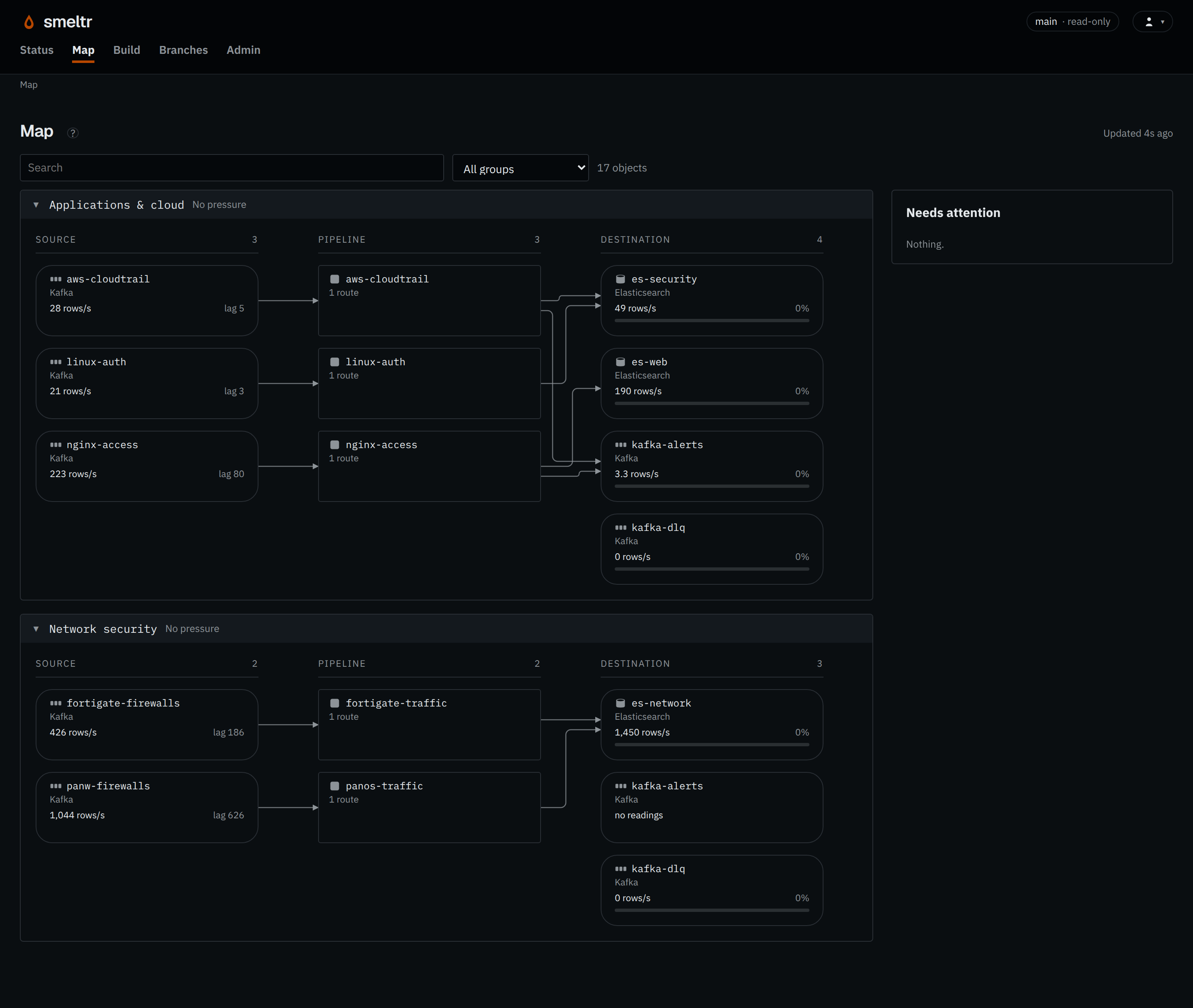
Trace sources through pipelines to destinations.

Throughput and warnings help you find the source, pipeline, or destination to investigate. Search by name or select a group to narrow the view.
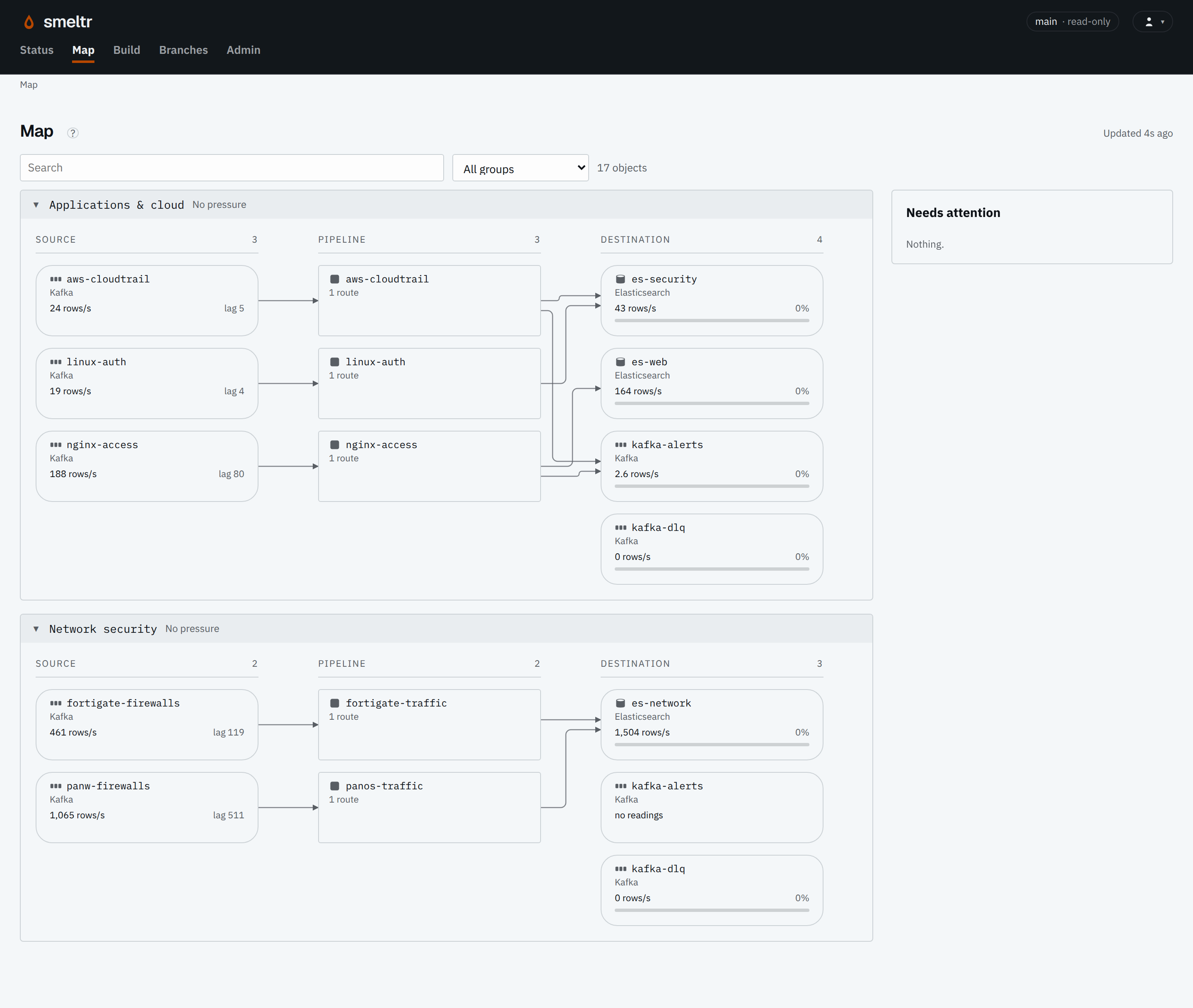
Smeltr Map showing sources connected through pipelines to destinations in the Applications and cloud and Network security groups.
Open complete screenshot ↗
Smeltr Map showing sources connected through pipelines to destinations in the Applications and cloud and Network security groups.
Open complete screenshot ↗
A running installation with sample traffic. Follow each source through its pipeline to the destinations it feeds.

Check the running version

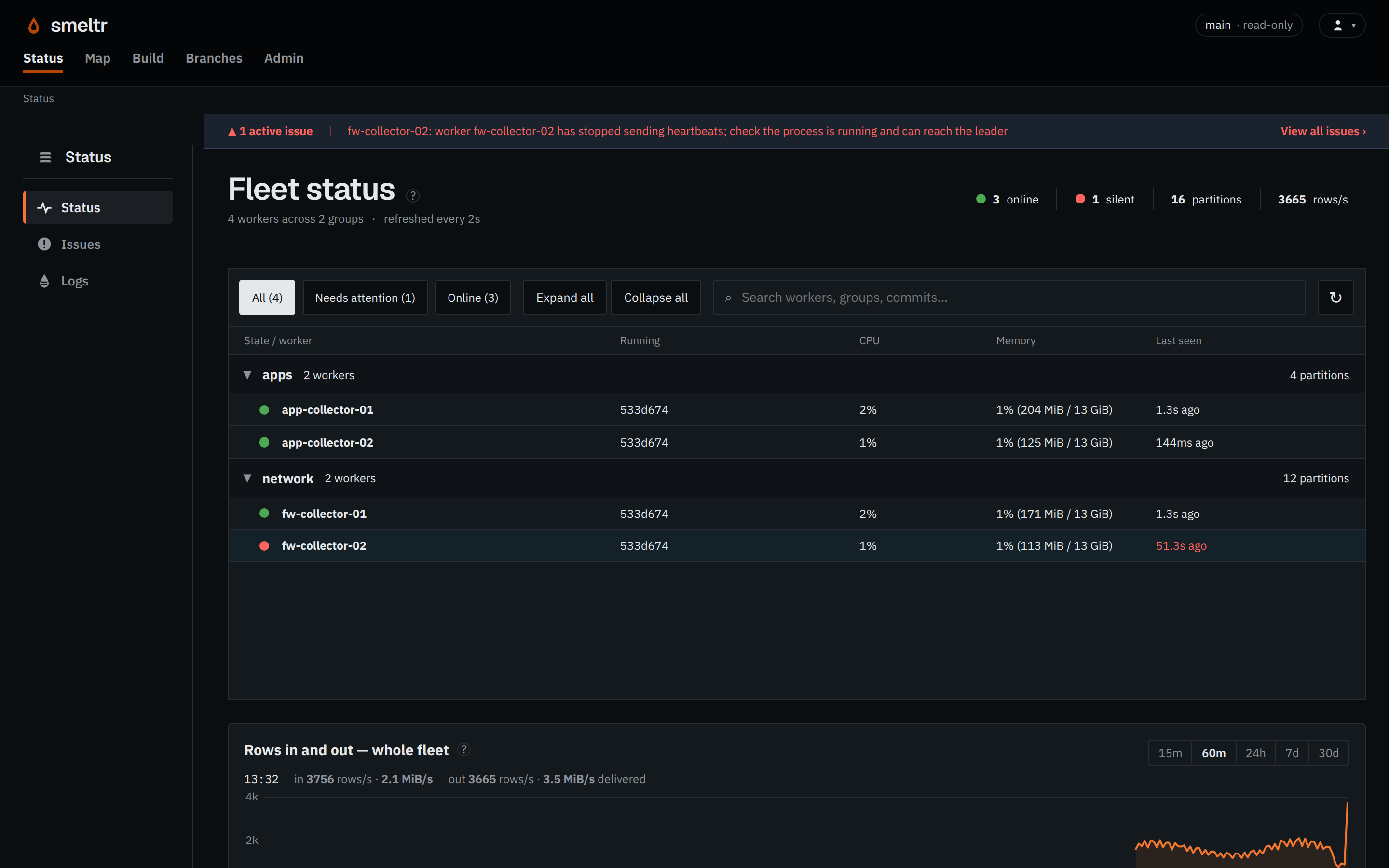
Check worker health and running versions.

Compare a worker's commit with main to see which configuration it is running. Open a worker in Status for its owned partitions and thread detail.
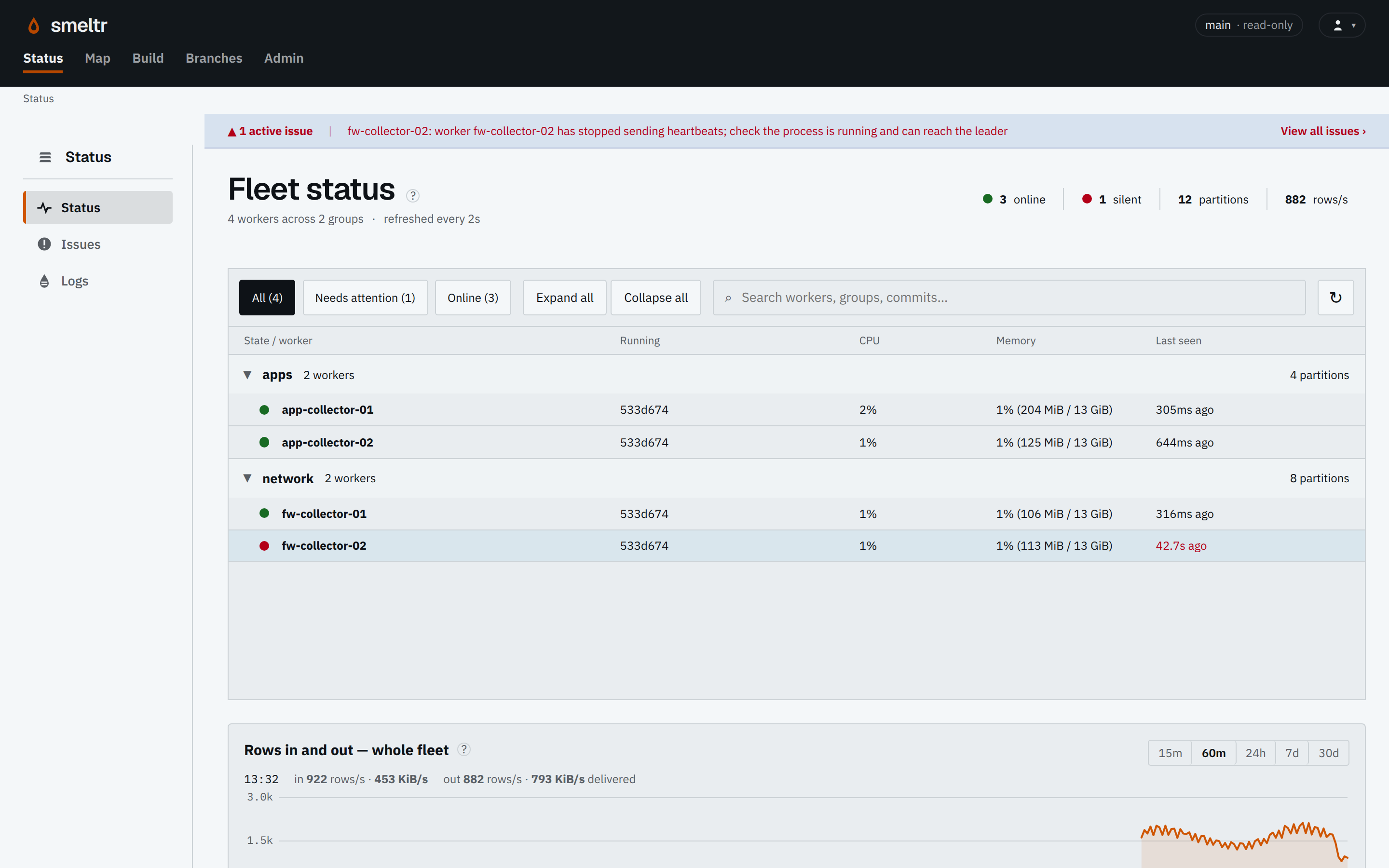
Fleet status with one active issue: fw-collector-02 has stopped sending heartbeats. Its last-seen time is highlighted beside three online workers.
Open complete screenshot ↗
Fleet status with one active issue: fw-collector-02 has stopped sending heartbeats. Its last-seen time is highlighted beside three online workers.
Open complete screenshot ↗
Example fleet: one worker needs attention. Check its last-seen time and the active issue before investigating its host.

See what needs action.

Warnings name the affected object and the condition behind it. Logs retain what was reported once a condition clears.

Delivery and recovery

Keep control when delivery fails.

If a destination becomes unreachable, Smeltr retries and holds the sources feeding it as buffers fill. If the destination refuses a record, choose whether to hold it, send it to another destination for investigation, or deliberately drop it.

Delivery and recoveryWhen a destination accepts a record, that delivery is complete. If it is unreachable, Smeltr retries and pauses input when buffers fill. If it refuses a record, Smeltr follows your chosen action: hold and retry, send it elsewhere for investigation, or count and drop it.Destination responseWhat happened to the record?AcceptedThis delivery is completeUnreachableRetry; pause when buffers fillRecord refusedUse the action you selectedHold and retry (default)Keep the record; pause inputSend elsewhereWait for each chosendestination to acceptDropDelete the record;count the dropsDelivery and recoveryWhen a destination accepts a record, that delivery is complete. If it is unreachable, Smeltr retries and pauses input when buffers fill. If it refuses a record, Smeltr follows your chosen action: hold and retry, send it elsewhere for investigation, or count and drop it.Destination responseWhat happened?AcceptedThis delivery is completeUnreachableRetry; pause when buffers fillRecord refusedUse the action you selectedHold and retry (default)Keep the record; pause inputSend elsewhereWait for each chosendestination to acceptDropDelete the record;count the drops
Choose any normal Smeltr destination to receive refused records for investigation and later replay. Selecting it for this job makes it a dead-letter destination; it is not a separate destination type. Smeltr waits for every selected destination to confirm receipt. If one is unavailable, the input streams sending records to it can still be paused.

Keep source records long enough to cover the outage and the time needed to catch up. If the destination chosen to keep refused records also fails, the affected input streams can still pause. Hold and retry delivery →

Workers connect. The leader coordinates.

Workers hold the data connections and initiate communication with the leader. The leader provides authoring, review, and a shared operating view.

Worker groups let separate environments run their own configuration while sharing reusable pipeline logic.

Read the step-by-step operations guide →

Start operating Smeltr.