Review & deploy

Review each change before deployment.

Edit on a branch and inspect the diff and tests. Choose Approve & deploy to merge into main, then confirm each intended worker runs the new commit.

Prepare for review

See which changes are ready for review.

See the changed files, the pipelines and routes affected, and their test results. The review also highlights affected pipelines and routes without tests. Smeltr allows approval even when tests fail; resolve unexpected failures before deploying.
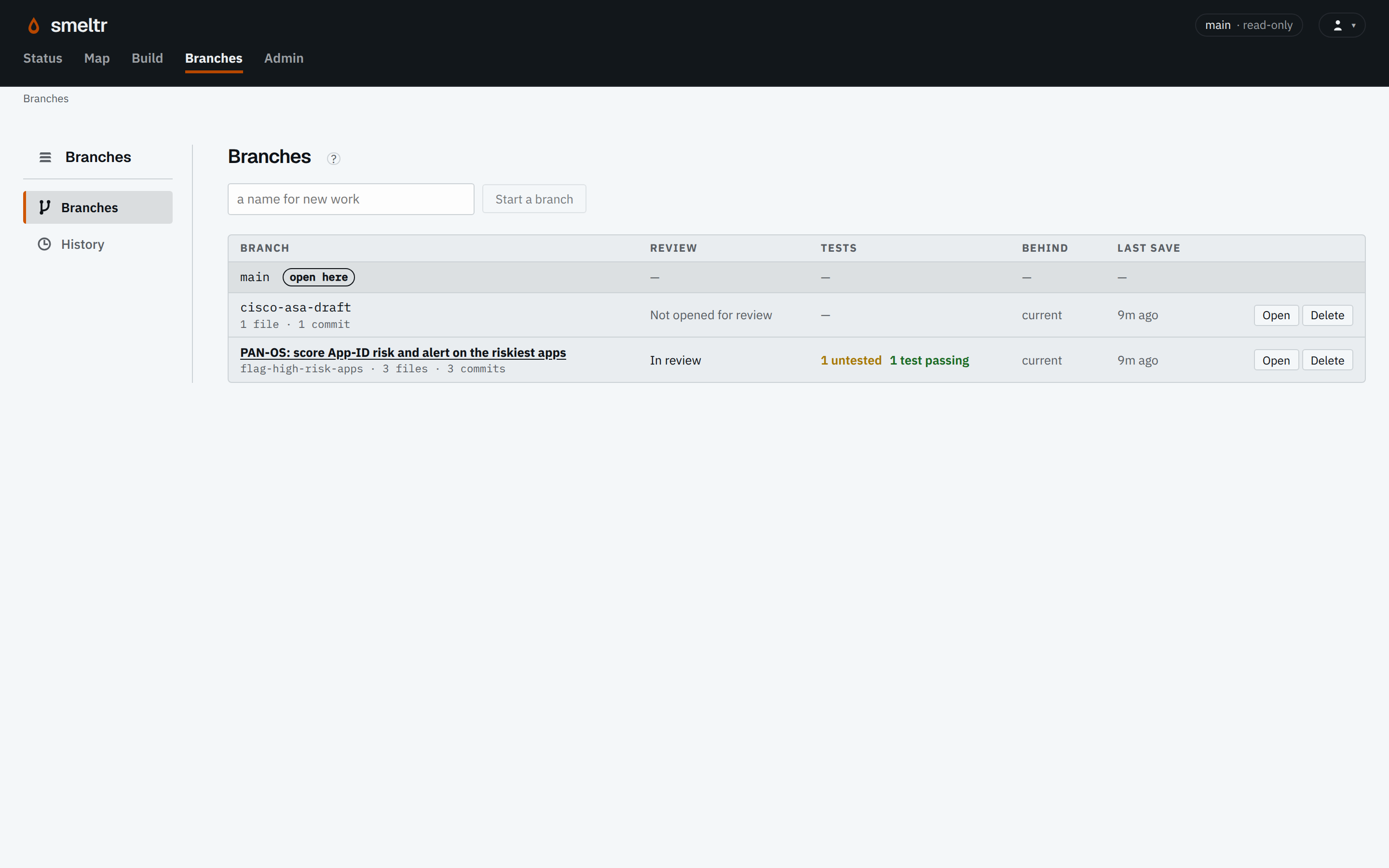
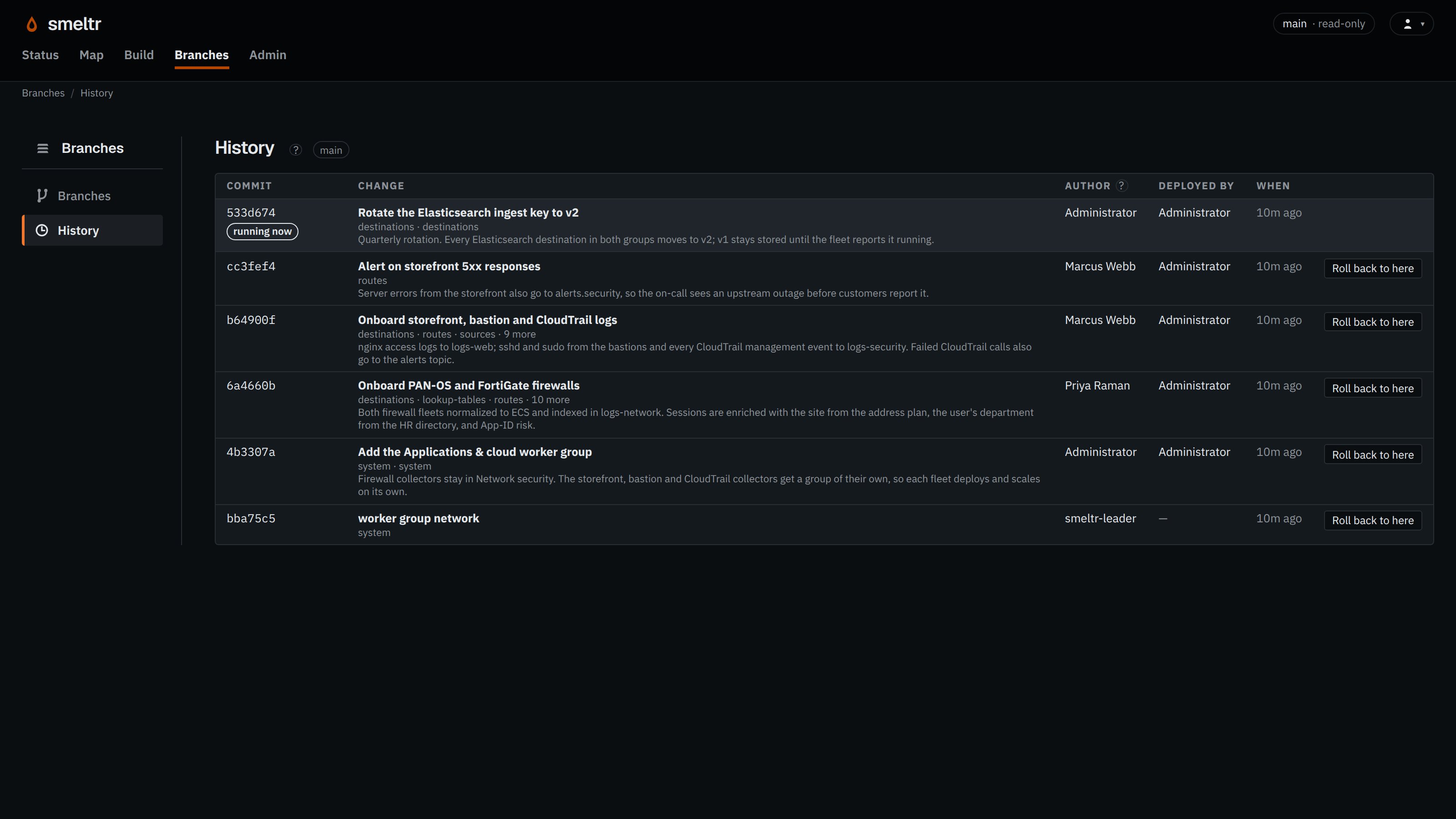
Branches page with a pending firewall change, one passing test, and one untested item.
Open complete screenshot ↗
Branches page with a pending firewall change, one passing test, and one untested item.
Open complete screenshot ↗
The Branches page flags untested work on each open change. Open a change to inspect its files, diff, and test results.

A branch becomes a deployed version.

From a draft to running workersDraft changes go to review. Review can send them back for revision. Approval and deployment publish a commit on main. Each worker fetches main and reports its running commit.ReviseDraft branchSave your editsReviewDiff and test resultsApprove & deployPublish to mainWorker AFetch main · report commitWorker BFetch main · report commitFrom a draft to running workersDraft changes go to review. Review can send them back for revision. Approval and deployment publish a commit on main. Each worker fetches main and reports its running commit.ReviseDraft branchSave your editsReviewDiff and test resultsApprove & deployPublish to mainWorker AFetch mainReport commitWorker BFetch mainReport commit
Review the diff and test results before approval. Each worker fetches main independently; check its running commit to confirm adoption.

Drafts stay on a Git branch until merged into main. Workers fetch main and report the commit they run. Check Status to confirm the intended workers have loaded the deployed commit. See how Git controls configuration →

A previous version is still within reach.

Deployment history lets you deploy an earlier main commit again. The configuration and its versioned resources travel together.

A worker can reject a configuration it cannot compile and keep its previous deployment. Check worker status to confirm what is actually running.

Know who wrote and deployed each change.
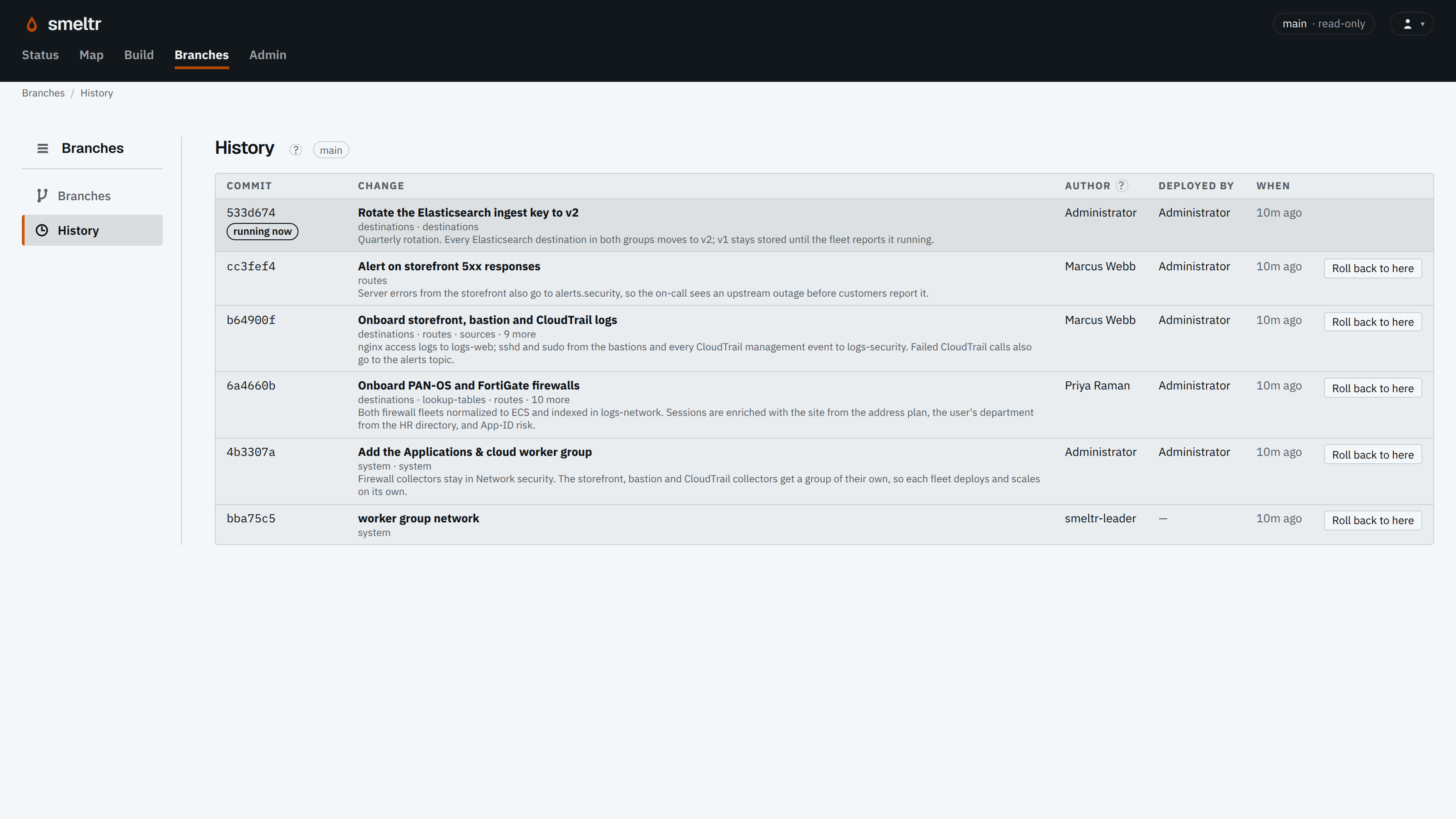
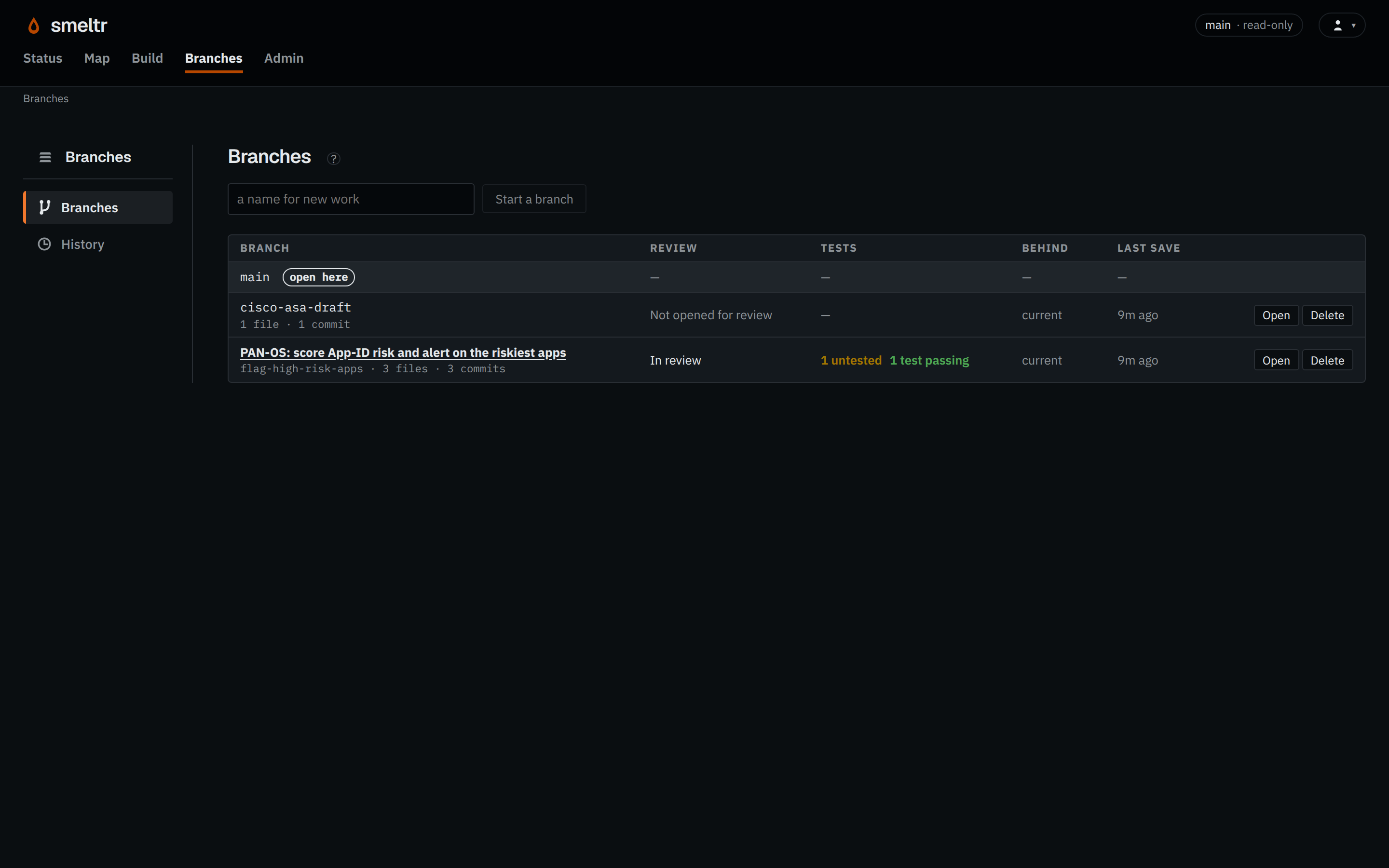
Deployment history listing commits, change descriptions, authors, deployers, and Roll back to here controls for previous versions.
Open complete screenshot ↗
Deployment history listing commits, change descriptions, authors, deployers, and Roll back to here controls for previous versions.
Open complete screenshot ↗
Example history: each change records its author and deployer, with earlier versions available for rollback.

Read the step-by-step review guide →

Follow the change into the fleet.