HTTP
POSTs records to any HTTP service, batched as NDJSON, a JSON array or text lines, or one record per request.
Example
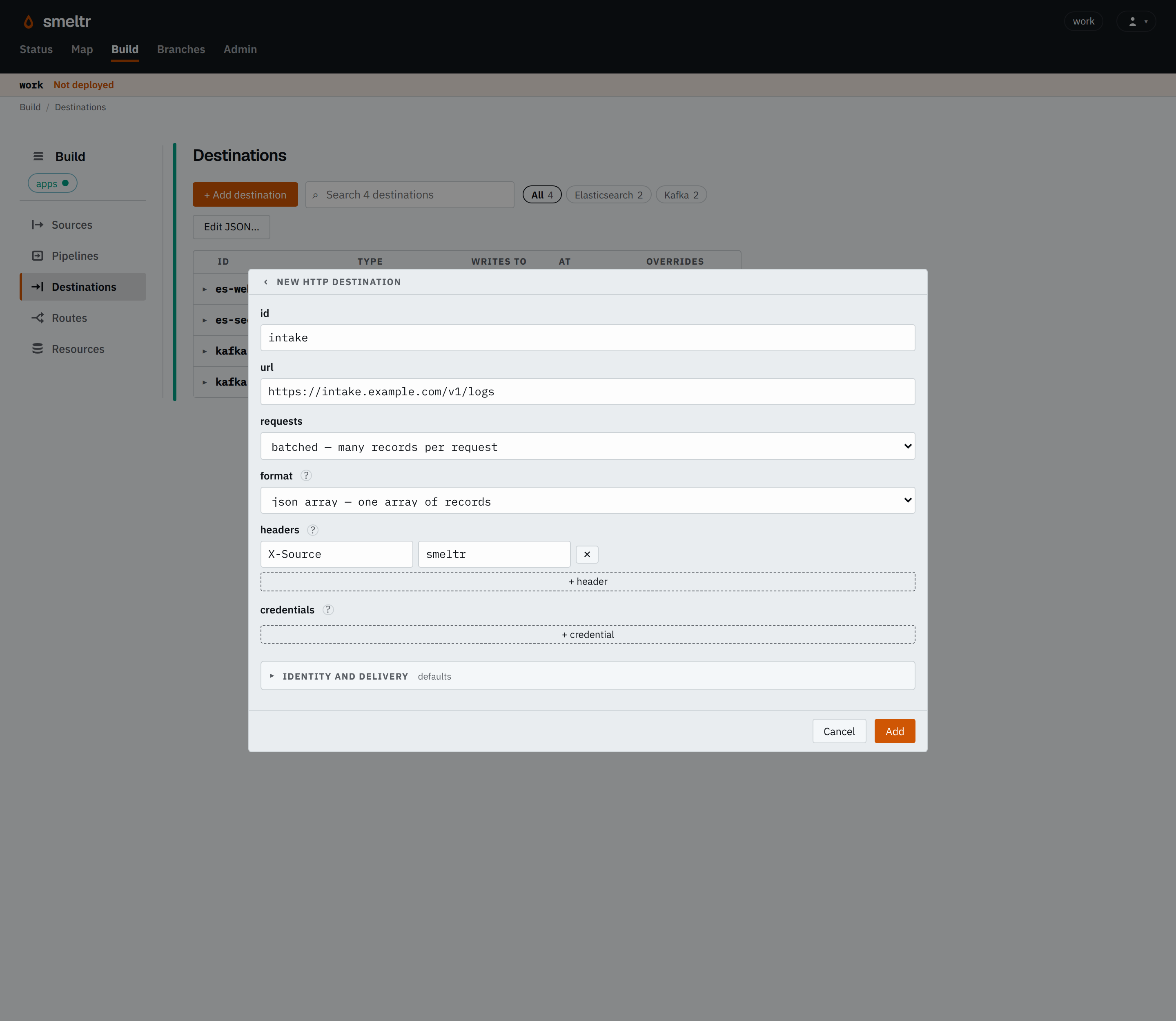
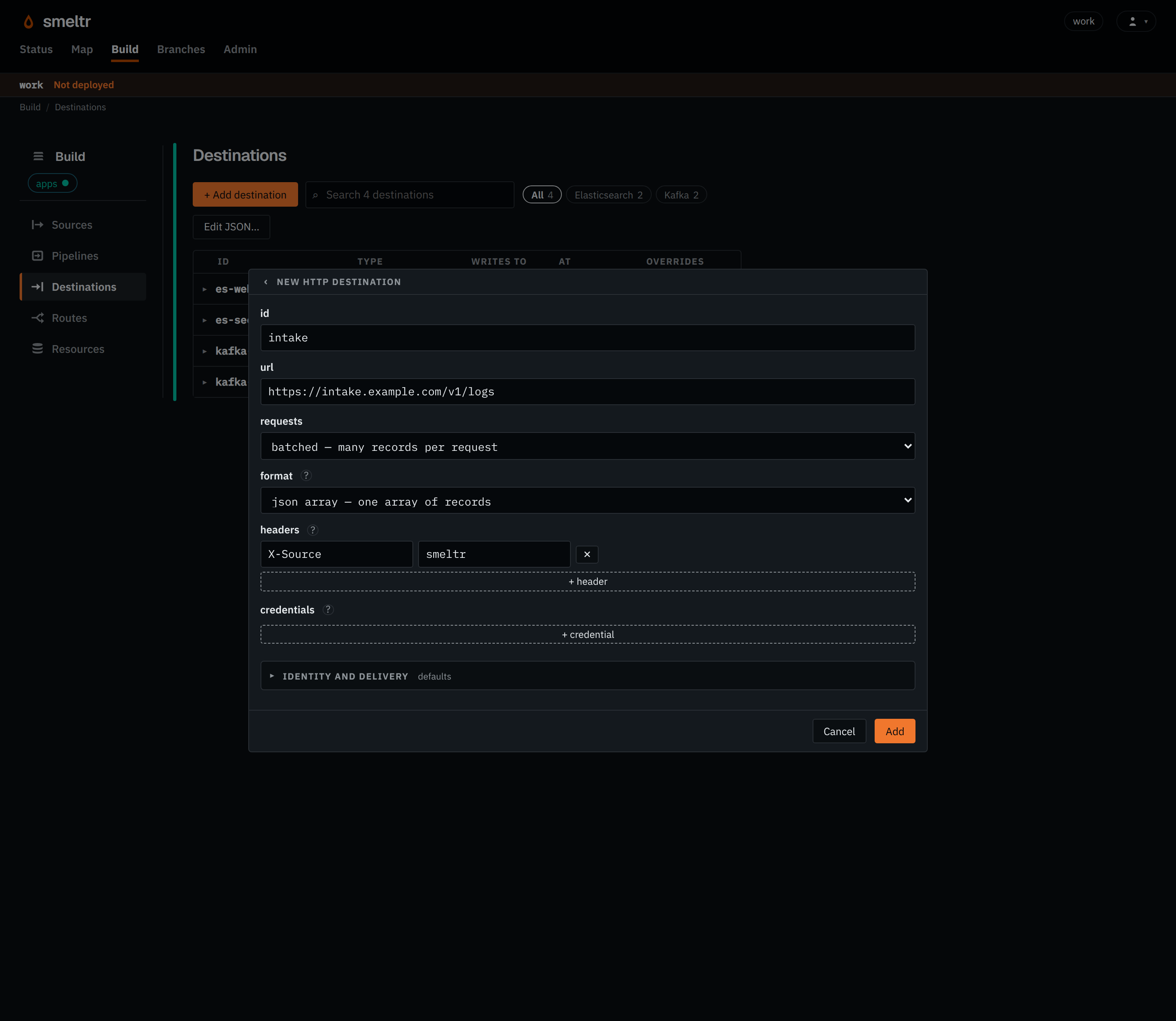
Posts each batch as a JSON array, and reads the DD-API-KEY header's value from the
worker-host variable INTAKE_API_KEY.
{
  "id": "intake",
  "type": "http",
  "url": "https://intake.example.com/v1/logs",
  "body": "jsonArray",
  "headers": {
    "X-Source": "smeltr"
  },
  "credentials": {
    "DD-API-KEY": "INTAKE_API_KEY"
  }
}
Before you start
- Find the URL the service takes records at, and the body it expects.
- Allow workers to reach the service.
- Put each secret header's whole value in a credential. For
Authorization, the credential holdsBearer <token>, prefix included.
Settings
It also takes the settings every destination takes.
url string required
The whole address the destination POSTs each request to, http:// or https://. It sends a credential only over https://, or to this host.
https://intake.example.com/v1/logshttps://logs.example.com:8443/ingest?tenant=acmebody string default lines
How records become requests.
lines- Batches many records into a request, one per line.
jsonArray- Batches many records into a request, as one JSON array.
single- Sends each record as a request of its own.
format string default json
What it sends each record as. See Bodies.
json- Writes the record as JSON: NDJSON under body
lines, or a JSON array underjsonArray. text- Writes one field's text, from
field. Under bodylinesit writes each line break in the text as\n; underjsonArrayit writes each as a JSON string. bytes- Writes one field's bytes,
__source.bytesunlessfieldnames anotherbytesfield: each source record's bytes as read, before pipeline processing. Under bodysingleit sends them as they are; underlinesit writes each as a base64 line, and underjsonArrayas a base64 string.
field string default _raw for text, __source.bytes for bytes
The field each text or bytes record writes. Only with format text or bytes.
messageheaders map default none
Headers it sends on every request, each name to its value. Smeltr sets Content-Type, Content-Encoding, Content-Length, Transfer-Encoding, Host and Cookie itself.
X-Source = smeltrX-Source = smeltrX-Tenant = acmecredentials map default none
Headers whose values are secret, each name to the credential holding its whole value, such as Bearer <token>.
Authorization = INTAKE_TOKENX-Api-Key = INTAKE_API_KEYAdvanced
identity identity default none
The connection identity it connects under, for a private CA or a client certificate. Only on an https:// URL.
intake-clientintake-mtlscompression string default none
How it compresses each request body.
none- Sends it uncompressed.
gzip- Compresses each body and sends it with
Content-Encoding: gzip.
inFlight integer default 4
How many requests it sends at once to start with. 1 to 64.
8116maxRequestBytes size default 1 MiB
The most one request carries, before compression. A record larger than this still goes as a single record. 4 KiB to 100 MiB.
4 MiB256 KiB10 MBbufferBytes size default 64 MiB, or one request if that is larger
How much undelivered output it may hold. 4 MiB to 1 GiB, and at least one request.
256 MiB64 MiB1 GiBstallAfterSecs integer default 30
Seconds one batch may take to deliver, every retry included, before the destination reports it stalled. 1 to 120.
60120zoneUrls map default none
An address per zone. A worker in a listed zone sends there instead of url.
us-east-1a = https://intake-a.example.com/v1/logsus-east-1a = https://intake-a.example.com/v1/logsus-east-1b = https://intake-b.example.com/v1/logsHow it works
The destination sends every record to the one URL. It reads no __destination field.
Bodies
Choose a body and a format from these nine pairs. A batch takes lines or jsonArray; one record per request takes single.
| body | format | What the service receives |
|---|---|---|
| lines (default) | json (default) | NDJSON: one record per line, as application/x-ndjson. |
| jsonArray | json | One JSON array of records, as application/json. |
| lines | text | One field's text per line, as text/plain. The destination writes a line
break inside the text as \n and a carriage return as \r, so
each record stays one line. |
| jsonArray | text | One JSON array of one field's text, a string per record, as application/json. |
| lines | bytes | One field's bytes per line in base64, as text/plain. The field defaults to __source.bytes, each record's original bytes. |
| jsonArray | bytes | One JSON array of one field's bytes, a base64 string per record, as application/json. |
| single | json | One record per request, as application/json. |
| single | text | One field's text per request, as text/plain. |
| single | bytes | One field's bytes per request, as application/octet-stream. The field
defaults to __source.bytes, each record's original bytes. |
The destination writes bytes in a batch as base64, because bytes may hold line breaks and are not JSON text.
Answers
| The service answers | The destination |
|---|---|
| 2xx | counts every record the request carried as delivered. |
| 408, 429, 500, 502, 503, 504 | backs off and sends the request again. |
| 400, 413, 422 | splits the request in halves and sends each. Halves the service takes land; a record it still refuses on its own, the destination refuses alone. Choose what happens to it → |
| 401, 403 | stalls, and reports that the service refused its credentials. |
| anything else, a redirect included | stalls, and reports the status and the start of the answer. It never follows a redirect. |
A batch counts as delivered once every request carrying it gets a 2xx. A record resent after a
failure can arrive twice. Under single, the destination sends a batch's records one
after another. If a request stalls the destination, it sends the whole batch again.
Verify
Send a record with a unique marker through the source, then find it in the service. If the destination stalls, the Status page flags it, and the worker's log names the status the service answered.
Troubleshooting
- The service answers 401 or 403
- Check that the credential holds the header's whole value, prefix included, such as
Bearer <token>. - The service answers 404 or 405
- Give the service's intake URL, path included, not its base address.
- The service answers a redirect
- Give the URL the service redirects to.
- The destination refuses to start, naming a credential
- The credential's value holds a line break or another control character, often a trailing newline pasted from a file. Store it again without one.