Pipeline reference
Eval step
An Eval step sets fields to the values of expressions, on every record it processes.
Each assignment sets one target field to the value of one expression. The expression reference lists the operators and functions an expression can use.
Example
The parser declares price as f64 and qty as i64, so the expressions can calculate with them.
Step
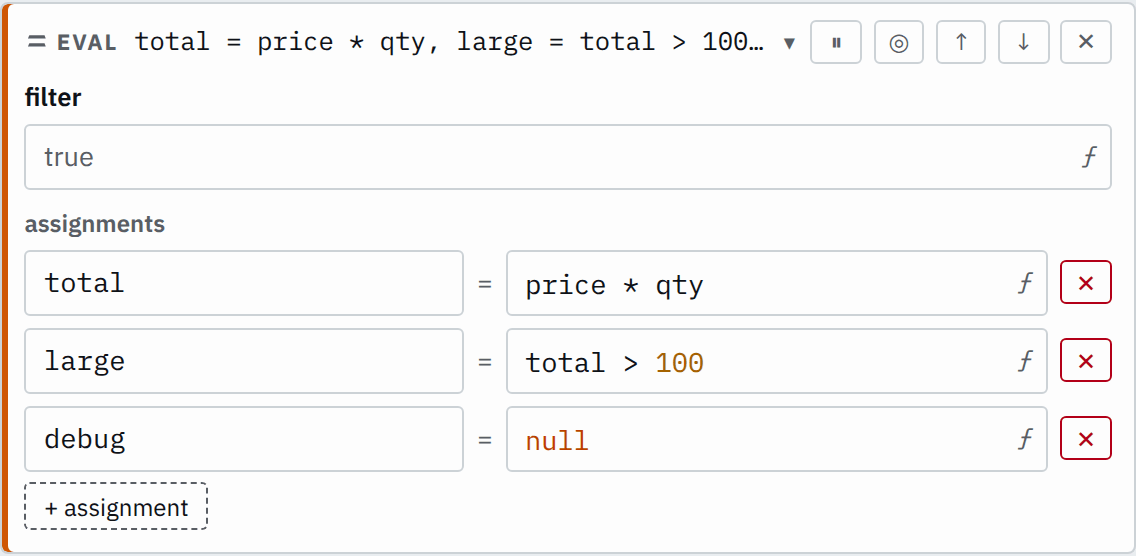

Saved JSON
{
  "id": "eval",
  "type": "eval",
  "assignments": [
    { "target": "total", "expr": "price * qty" },
    { "target": "large", "expr": "total > 100" },
    { "target": "debug", "expr": "null" }
  ]
}
Input
{ "price": 12.5, "qty": 10, "debug": "trace-1"}Output
{ "price": 12.5, "qty": 10, "total": 125.0, "large": true}large reads total, which the assignment above it wrote. The step sets debug to null, so it is gone from the output. Fields the step does not name remain.
Settings
It also takes the settings every step takes.
assignments list of assignments required
Each target field is set to its expr, in order. Dots in a target name a nested field.
[{"target": "event.dataset","expr": "\"nginx.access\""}][{"target": "severity","expr": "status >= 500 ? \"error\" : \"info\""}]In the editor, + assignment adds a row.
How it works
The assignments run in order, top to bottom. A later assignment reads the value an earlier one
wrote. Each one replaces its whole target. When two assignments name the same target, the later
one's value is the one that remains. Assigning null removes the field from the output.
Each assignment is the Code statement target = expression;. When you need
conditions, loops or temporary variables, use a Code step.
Process selected records
When the filter is false or null, the record continues with its existing values.
Step
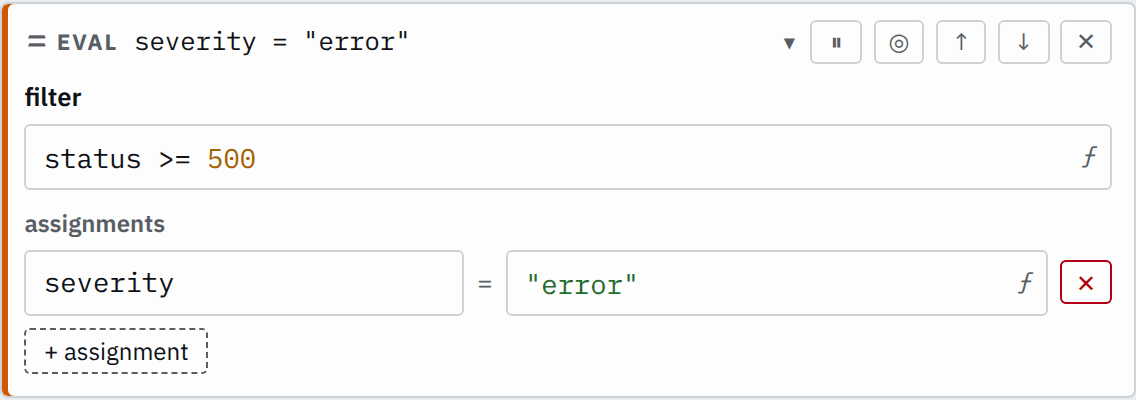

Saved JSON
{
  "id": "eval",
  "type": "eval",
  "filter": "status >= 500",
  "assignments": [{ "target": "severity", "expr": "\"error\"" }]
}
Input
{
  "service": "checkout",
  "status": 503
}
{
"service": "checkout",
"status": 200
}Output
{
  "service": "checkout",
  "status": 503,
  "severity": "error"
}
{
"service": "checkout",
"status": 200
}Types and errors
Each assignment follows the language's rules for assignment, types, null and exceptions.
An assignment with a blank target or a blank expression is an error when you save. The editor shows each assignment's error on its own row.
Troubleshooting
- Saving reports a type error on an assignment
- Check the type of the first value written to the target. Declare the field in the parser or convert the value to that type.