Pipeline reference
Parser step
A Parser step reads one text field of each record and writes the fields it finds there into the record.
The input is usually _raw, the text a source received. The declared fields are the
ones later steps calculate with, each with its type. Suggest fields proposes
declared fields from the sample and production. In each example, the input is the raw text of
each record and the output is the parsed record, with _raw left out.
Example
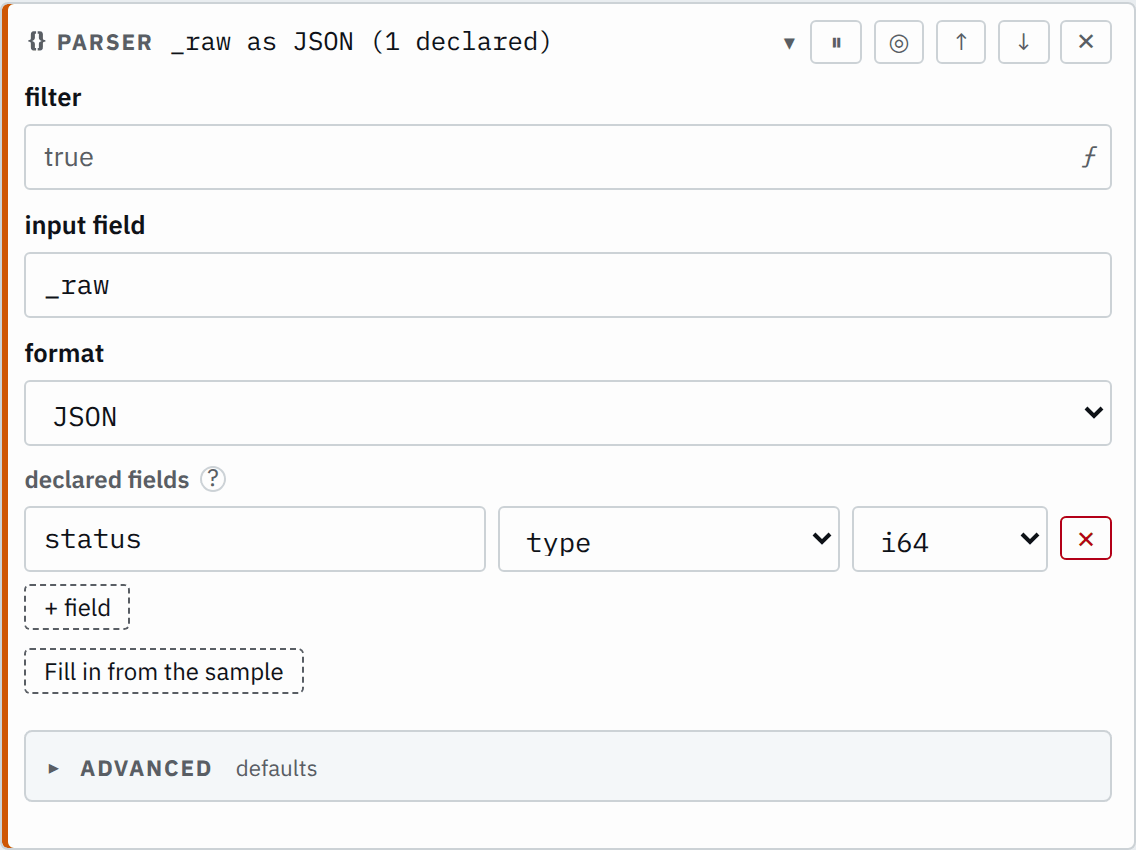
This step reads JSON and declares service as str and status as i64 (an integer).
Step
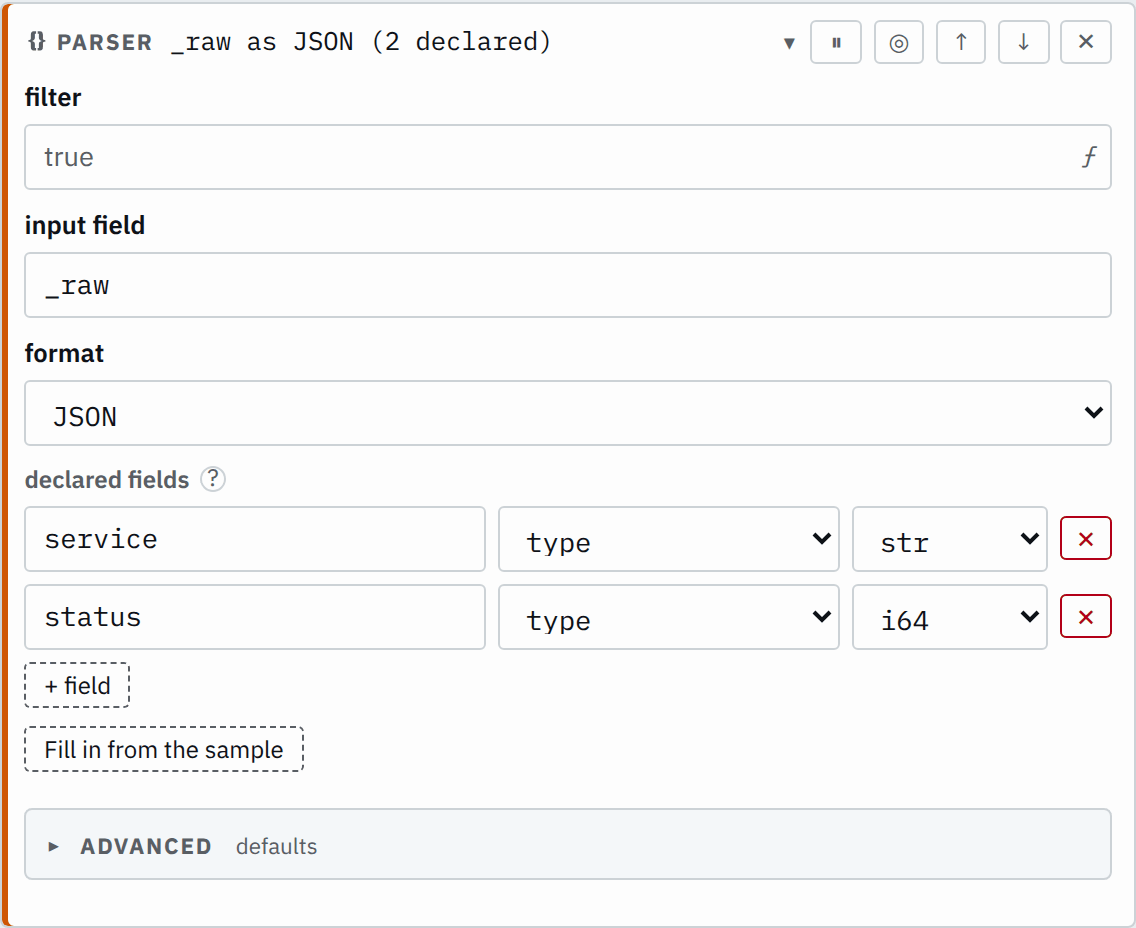

Saved JSON
{
  "id": "parse",
  "type": "parser",
  "input": "_raw",
  "kind": { "type": "json" },
  "declared": [
    { "name": "service", "type": "str" },
    { "name": "status", "type": "i64" }
  ]
}
Input
{"service":"checkout","status":200,"region":"eu"}Output
{
  "service": "checkout",
  "status": 200,
  "region": "eu"
}
Both declared fields arrive typed, and the undeclared region passes through.
Settings
It also takes the settings every step takes.
input field required
The text field to read. Defaults to _raw.
_rawpayloadkind format required
The format and its own settings, such as {"type": "csv", "delimiter": ","}. See Formats.
json- Reads one JSON object. See JSON.
csv- Reads one line of delimited values into the declared columns. Takes
delimiter. See CSV. keyValue- Reads
key=valuepairs. TakespairSepandkvSep. See Key/value. grok- Matches the text against patterns and keeps the named captures. Takes
patterns. See Regex/Grok.
declared list of fields default none
Each field's name and type. For CSV these are the columns in order; for Regex/Grok, the pattern's captures. A datetime field can name its format.
[{"name": "status","type": "i64"}][{"name": "time","type": {"type": "datetime","format": "%d/%b/%Y:%H:%M:%S %z"}},{"name": "bytes","type": "i64"}]Formats
kind names the format as { "type": "json" }, with the format's own
settings beside type. Every format also takes the Advanced setting splitDots.
JSON
{ "type": "json" } reads one JSON object with named fields.
It has no settings of its own.
CSV
{ "type": "csv" } reads values in a fixed column order.
delimiter string required
The one ASCII character between values. Defaults to ,.
,;|Key/value
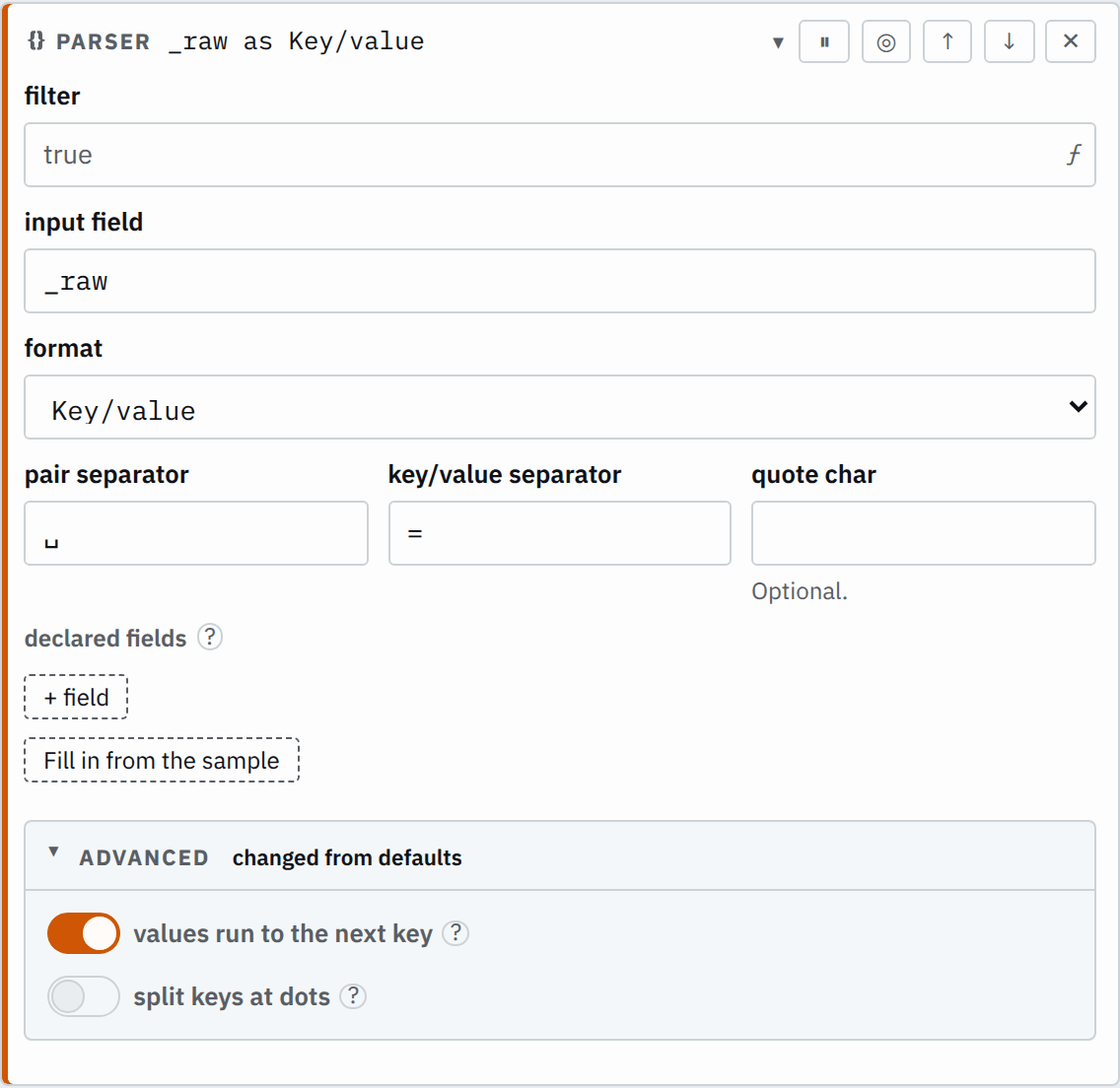
{ "type": "keyValue" } reads named pairs such as status=200.
pairSep string required
What separates one pair from the next. Defaults to a space.
" ",&kvSep string required
What separates a key from its value. Defaults to =.
=:quote string default none
The character that quotes a value holding separators. Defaults to ".
"'nextKey bool default true
Whether an unquoted value runs to the pairSep before the next key: in level=info debug x=1, level is info debug. Off, debug is a bare key, debug=true.
Regex/Grok
{ "type": "grok" } reads text that a regular expression or Grok pattern matches, such as a syslog line.
customPatterns list of patterns default none
Each name stands for its pattern in %{NAME:field}, beside the built-in patterns.
[{"name": "METHOD","pattern": "GET|POST"}][{"name": "HOSTPORT","pattern": "%{IPORHOST}:%{POSINT}"}]patterns list of strings required
Patterns tried in order; the first that matches gives the fields.
%{IP:client} %{WORD:method}%{IP:client} %{WORD:method} %{URIPATHPARAM:path}%{GREEDYDATA:message}\[%{HTTPDATE:timestamp}\] %{IP:source.ip}Advanced
Every format takes this setting. Split keys at dots shows what it does.
splitDots bool default false for JSON and CSV, true for Key/value and Regex/Grok
Whether a dot in a field name nests the field.
How it works
Text the format cannot read raises an Unparsable exception, and a value that does not convert to its type raises UnparsableField.
A Parser step can have a filter or sit inside an If step's branches. Records it skips keep their existing values and receive no errors or warnings from it.
JSON objects
A record must be one JSON object. Top-level arrays, strings, numbers and literals do not parse.
The parser accepts a trailing comma in an object or array, such as {"status":200,}; it does not support other JSON5 extensions.
Fields you do not declare pass through to the output as they arrived. Nested fields use dots: event.dataset is the field dataset inside the object event. To declare an object, choose the type object and list its
fields. A closed object keeps only the fields you list and drops its other fields; turn on open to keep them.
CSV columns and quoting
Each record is one data row, and the columns name its values by position. The parser does not
read a header row. The parser drops a column typed skip, while the columns after it
keep their positions. It ignores extra values beyond the columns; a missing value is null, and
the output leaves out a null field.
Double quotes can enclose delimiters, and two quotes inside a quoted field represent one literal
quote. An unclosed quote raises an Unparsable exception.
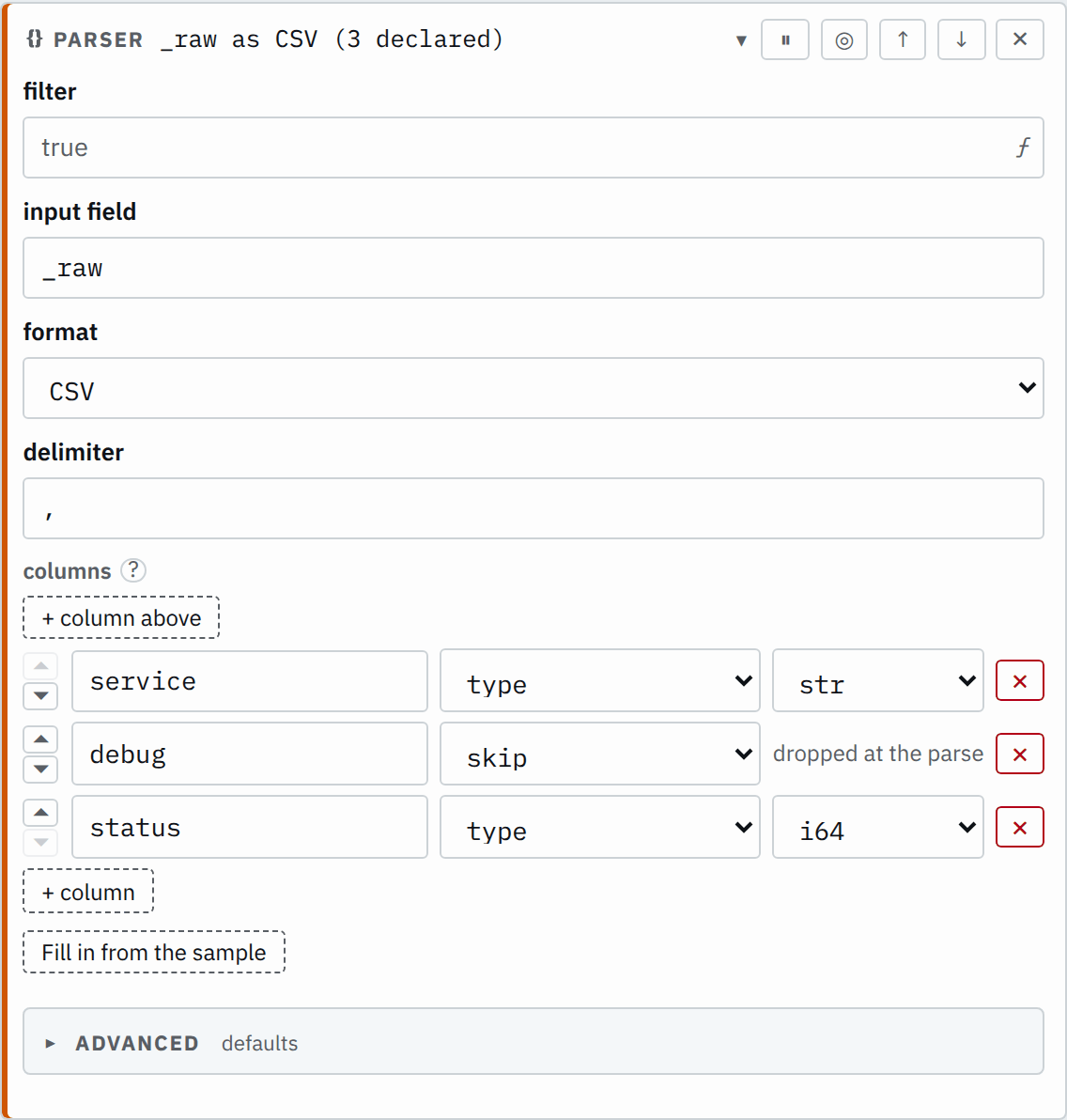
This step reads comma-separated values with these columns:
| Position | Name | Type |
|---|---|---|
| 1 | service | str |
| 2 | debug | skip |
| 3 | status | i64 |
Step

Saved JSON
{
  "id": "parse",
  "type": "parser",
  "input": "_raw",
  "kind": { "type": "csv", "delimiter": "," },
  "declared": [
    { "name": "service", "type": "str" },
    { "name": "debug", "type": "skip" },
    { "name": "status", "type": "i64" }
  ]
}
Input
checkout,trace-1,200"check,out",trace-2"say ""hi""",trace-3,404,extraOutput
{
  "service": "checkout",
  "status": 200
}
{
"service": "check,out"
}{
"service": "say \"hi\"",
"status": 404
}Key/value pairs
The text is a list of pairs. pairSep divides one pair from the next, and kvSep divides a pair's key from its value. With nextKey on, the
default, a key is the text after the last pairSep before a kvSep, and its value runs to the pairSep before the next key: in msg=user logged in id=5, msg is user logged in. A kvSep inside a value, with no pairSep before it, belongs to the value, so url=http://x/?a=1 keeps http://x/?a=1 whole. The parser trims whitespace around a key or an unquoted value.
A word before the first key is a key whose value is the text "true".
With nextKey off, a value ends at the first pairSep, any word without kvSep is a key whose value is the text "true", and the parser keeps
whitespace. In level=info debug x=1, level is info and debug is "true".
quote lets a value hold pairSep: the value starts and ends with it.
Inside it, a backslash before quote or before another backslash stands for that
character. Only pairSep may follow the closing quote, and with nextKey on, spaces before it. Anything else there, or an unclosed quoted value,
raises an Unparsable exception.
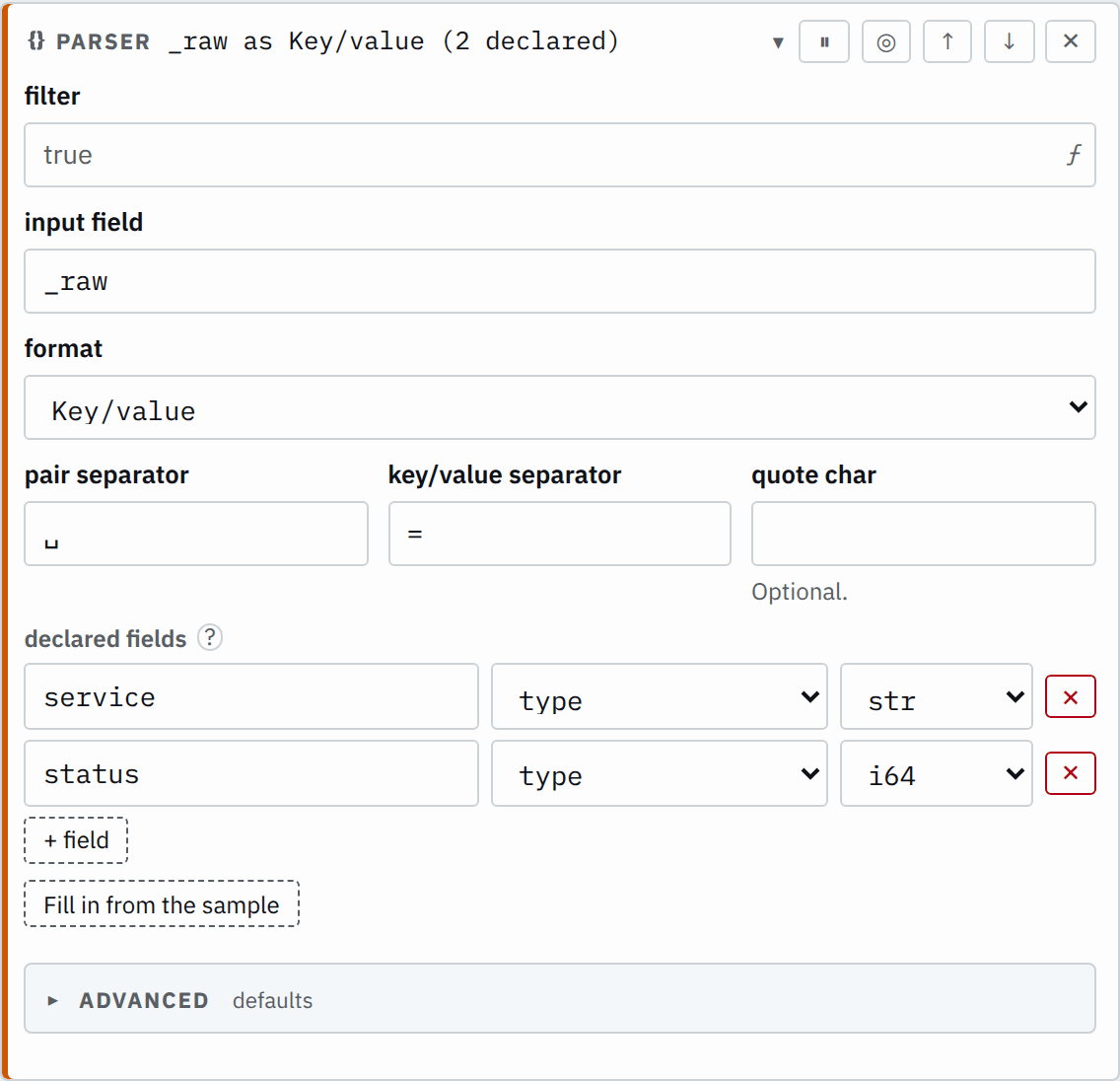
This step separates pairs with one space and keys from values with =, and declares service as str and status as i64:
Step

Saved JSON
{
  "id": "parse",
  "type": "parser",
  "input": "_raw",
  "kind": { "type": "keyValue", "pairSep": " ", "kvSep": "=" },
  "declared": [
    { "name": "service", "type": "str" },
    { "name": "status", "type": "i64" }
  ]
}
Input
service=checkout status=200Output
{
  "service": "checkout",
  "status": 200
}
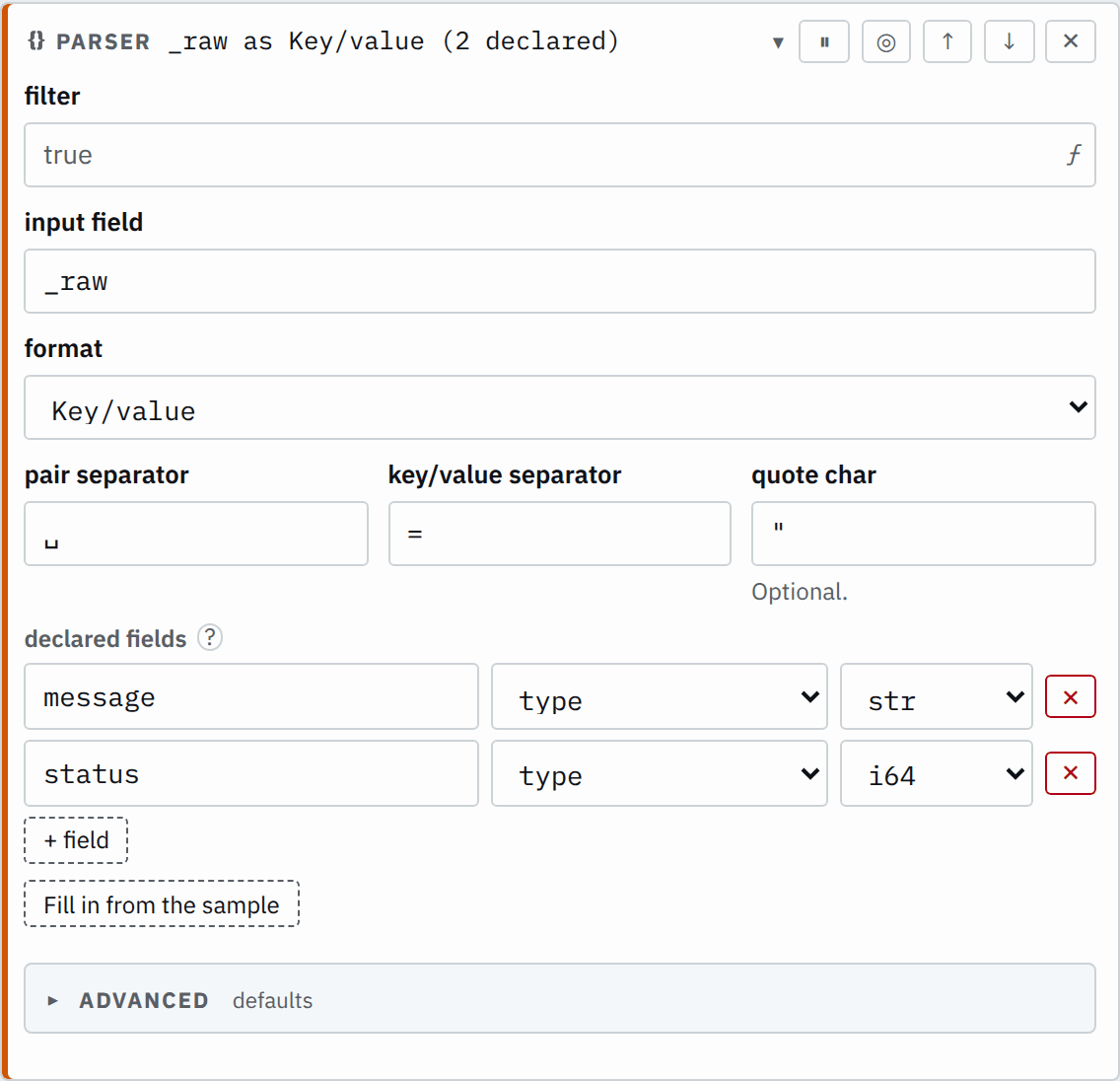
With quote set, a quoted value can contain spaces:
Step

Saved JSON
{
  "id": "parse",
  "type": "parser",
  "input": "_raw",
  "kind": {
    "type": "keyValue",
    "pairSep": " ",
    "kvSep": "=",
    "quote": "\""
  },
  "declared": [
    { "name": "message", "type": "str" },
    { "name": "status", "type": "i64" }
  ]
}
Input
message="order placed" status=200Output
{
  "message": "order placed",
  "status": 200
}
Regex/Grok patterns
The Regex/Grok format reads regular expressions and Grok patterns. A pattern is a regular
expression, and each named group, (?<name>...), captures its match in a field.
Grok adds named patterns on top: %{NAME} inserts a built-in or custom named
pattern, and %{NAME:field} also captures its match in a field. The two forms mix freely in one
pattern.
The captures are the step's fields, each with a type. With several patterns, the first one that
matches a record parses it. If none matches, the record has an Unparsable exception.
A matched pattern with an absent optional capture leaves that field null.
The parser groups each named pattern it inserts, so a choice or a case-insensitive flag applies within that pattern:
- The built-in
LOGLEVELignores case. In%{LOGLEVEL} ERROR, the literalERRORstill requires uppercase.WARN ERRORmatches;warn errordoes not. - A custom pattern
ABdefined asa|bmakes^%{AB}c$matchacandbc, notaalone.
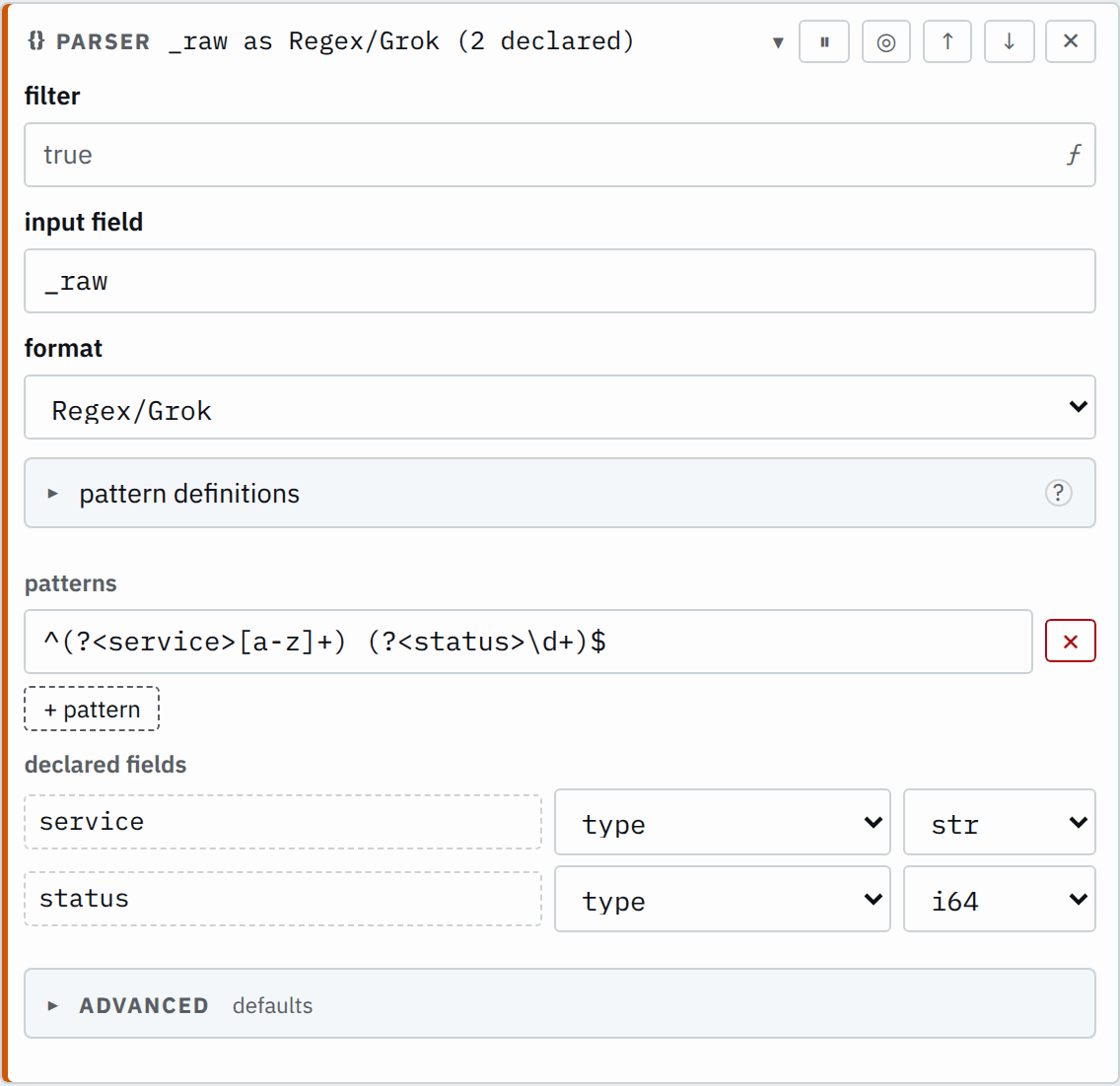
This step is a plain regular expression, with status as i64:
Step

Saved JSON
{
  "id": "parse",
  "type": "parser",
  "input": "_raw",
  "kind": {
    "type": "grok",
    "patterns": ["^(?<service>[a-z]+) (?<status>\\d+)$"]
  },
  "declared": [
    { "name": "service", "type": "str" },
    { "name": "status", "type": "i64" }
  ]
}
Input
checkout 200Output
{
  "service": "checkout",
  "status": 200
}
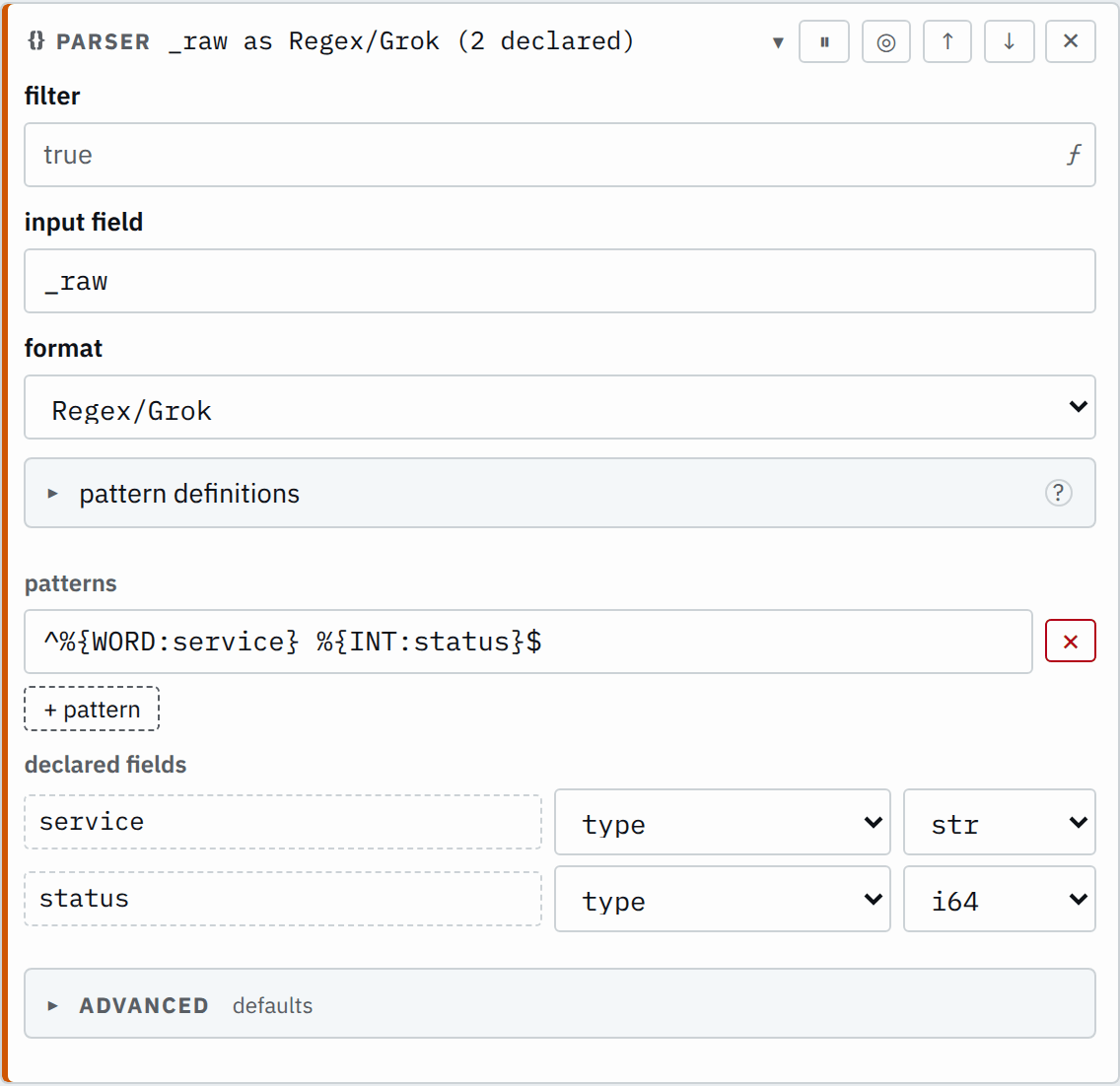
The same parse with Grok's named patterns is ^%{WORD:service} %{INT:status}$.
In both, the anchors ^ and $ require the whole input to match.
Step

Saved JSON
{
  "id": "parse",
  "type": "parser",
  "input": "_raw",
  "kind": {
    "type": "grok",
    "patterns": ["^%{WORD:service} %{INT:status}$"]
  },
  "declared": [
    { "name": "service", "type": "str" },
    { "name": "status", "type": "i64" }
  ]
}
Input
checkout 200Output
{
  "service": "checkout",
  "status": 200
}
Custom Grok patterns
A custom pattern is a named pattern you define. A Grok pattern inserts it as %{NAME}, the same way it inserts a built-in. A custom pattern has one of two
scopes:
- One step: defined under the step's pattern definitions. Only that step can name it.
- A group: defined under Build, Resources, Grok patterns. Any Grok step in the group can name it. A group also sees the
patterns of
shared/.
A name is looked up in the step first, then the group, then the built-ins.
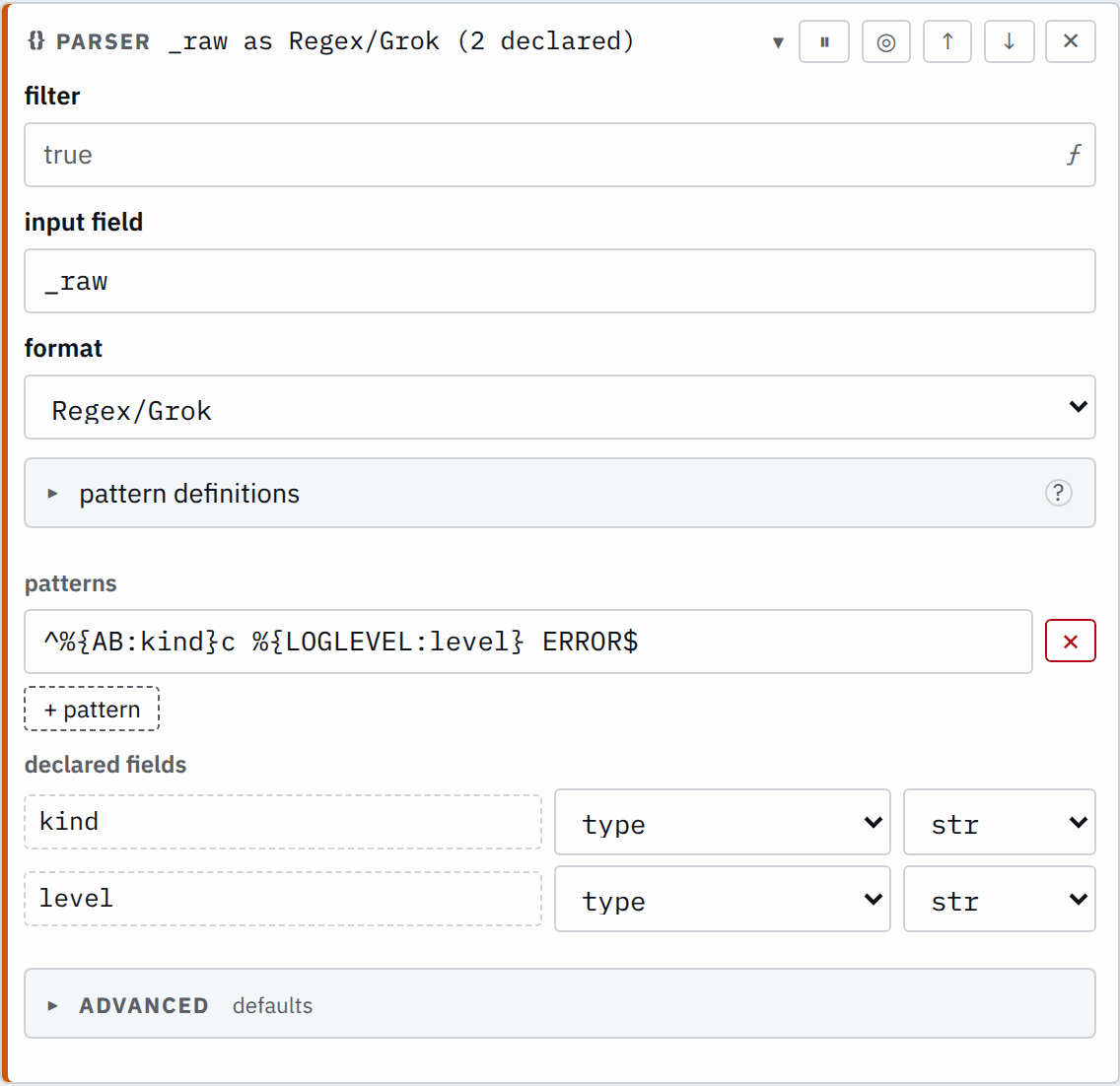
This step uses the custom pattern AB and the built-in LOGLEVEL:
Step

Saved JSON
{
  "id": "parse",
  "type": "parser",
  "input": "_raw",
  "kind": {
    "type": "grok",
    "patterns": ["^%{AB:kind}c %{LOGLEVEL:level} ERROR$"],
    "customPatterns": [{ "name": "AB", "pattern": "a|b" }]
  },
  "declared": [
    { "name": "kind", "type": "str" },
    { "name": "level", "type": "str" }
  ]
}
Input
ac warn ERRORbc WARN ERROROutput
{
  "kind": "a",
  "level": "warn"
}
{
"kind": "b",
"level": "WARN"
}Built-in Grok patterns
A pattern is a regular expression in the syntax of Rust's regex crate. A pattern takes no lookarounds and no backreferences. A field name in %{NAME:field} is one or more dot-separated parts, each of ASCII letters, digits and _, not
starting with a digit. The field's type is the step's declaration, so there is no %{NAME:field:type} form. The parser refuses patterns nested more than 32 deep.
| Pattern | Matches | Example |
|---|---|---|
WORD | A run of Unicode word characters, as regex \w: letters, digits, marks and connector punctuation such as _. | user_42 |
NOTSPACE | A run of anything but whitespace. | /a?b=1 |
SPACE | Any whitespace, or none. | |
INT | An integer, with an optional sign. | -17 |
POSINT | A positive integer, with no leading zero. | 8080 |
BASE10NUM | A decimal number, with an optional sign and fraction. | -3.25 |
BASE16NUM | A hexadecimal number written with 0x. | 0x1F |
NUMBER | The same as BASE10NUM. | 42.5 |
IPV4 | A dotted IPv4 address, each part 0 to 255, with no leading zeros. | 10.0.0.1 |
IPV6 | An IPv6 address in any RFC 4291 form, with an optional zone such as %eth0. | fe80::1%eth0 |
IP | An IPv4 address, else an IPv6 one. | 2001:db8::1 |
HOSTNAME | A dotted host name; each label is letters, digits and inner -. | api.example.com |
IPORHOST | An IP address, else a host name. | web-01.example.com |
USERNAME | Letters, digits, ., _ and -. | j.doe-2 |
UUID | A UUID in its 8-4-4-4-12 hexadecimal form. | 123e4567-e89b-12d3-a456-426614174000 |
MAC | A MAC address as six colon-separated hexadecimal pairs. | 00:1A:2b:3C:4d:5E |
DATA | Any text, as little as lets the rest of the pattern match. | anything at all |
GREEDYDATA | Any text, as much as lets the rest of the pattern match. | anything at all |
QUOTEDSTRING | Text in double or single quotes, with backslash escapes; the quotes are part of the match. | "say \"hi\"" |
LOGLEVEL | A log level name in any case: trace, debug, info, notice, warn, warning, err, error, crit, critical, fatal, severe, emerg, emergency, alert. | WARNING |
MONTH | A month name, full or three letters, in any case. | Sep |
MONTHNUM | A month number, 1 to 12, with an optional leading zero. | 09 |
MONTHDAY | A day of the month, 1 to 31, with an optional leading zero. | 04 |
YEAR | A year of two or four digits. | 2026 |
HOUR | An hour, 0 to 23. | 23 |
MINUTE | A minute, 00 to 59. | 59 |
SECOND | A second, 00 to 59 with an optional fraction after . or ,, or a bare 60. | 07,125 |
TIME | HOUR:MINUTE, with an optional :SECOND. | 09:30:15 |
TIMESTAMP_ISO8601 | YEAR-MONTHNUM-MONTHDAY, T or a space, then TIME and an optional Z or offset. Its parts take the widths of their own patterns, so 26-1-4T9:30 matches too. | 2026-10-04T09:30:15.250+02:00 |
HTTPDATE | A web server log's date, day/month/year:time zone. | 04/Oct/2026:09:30:15 +0000 |
SYSLOGTIMESTAMP | A syslog date, month day time. | Oct 4 09:30:15 |
SYSLOGHOST | A syslog line's host, an IP address or host name. | 10.0.0.1 |
URIPROTO | A URI scheme. | https |
URIHOST | An IPv4 address or host name, with an optional :port. | example.com:8443 |
URIPATH | A run of ASCII letters, digits and $.+!*'(){},~:;=@#%_/-. It stops at ? and at &. | /api/v1/users |
URIPATHPARAM | A URI path with an optional ?query. | /search?q=smeltr&page=2 |
SYSLOGLINE | A classic syslog line: an optional <priority>, a date, a host, an optional program[pid]:, then the message. | <34>Oct 11 22:14:15 mymachine su[230]: 'su root' failed |
SYSLOG5424LINE | An RFC 5424 syslog line: <priority>version, a timestamp, host, app, process id and message id, structured data, then an optional message; a field written as - is left out. | <165>1 2003-10-11T22:14:15.003Z mymachine.example.com evntslog - ID47 [exampleSDID@32473 iut="3"] An application event |
COMMONAPACHELOG | A web server's common log line: client, identity, user, [date], the quoted request, status and bytes; a field written as - is left out. | 127.0.0.1 - frank [10/Oct/2000:13:55:36 -0700] "GET /apache_pb.gif HTTP/1.0" 200 2326 |
COMBINEDAPACHELOG | A combined log line: a common log line, then the quoted referrer and user agent; a field written as - is left out. | 127.0.0.1 - frank [10/Oct/2000:13:55:36 -0700] "GET /apache_pb.gif HTTP/1.0" 200 2326 "http://example.com/start.html" "Mozilla/4.08" |
Split keys at dots
In the GUI, Split keys at dots is under Advanced.
On, a dot in a field name nests the field: geo.city is the field city inside the object geo. Off, geo.city is one field name with a dot in
it, which a later step reads as $["geo.city"]. The default follows the format. JSON
and CSV have their own way to nest or none at all, so it is off. Key/value and Regex/Grok
captures can nest only through a dot, so it is on.
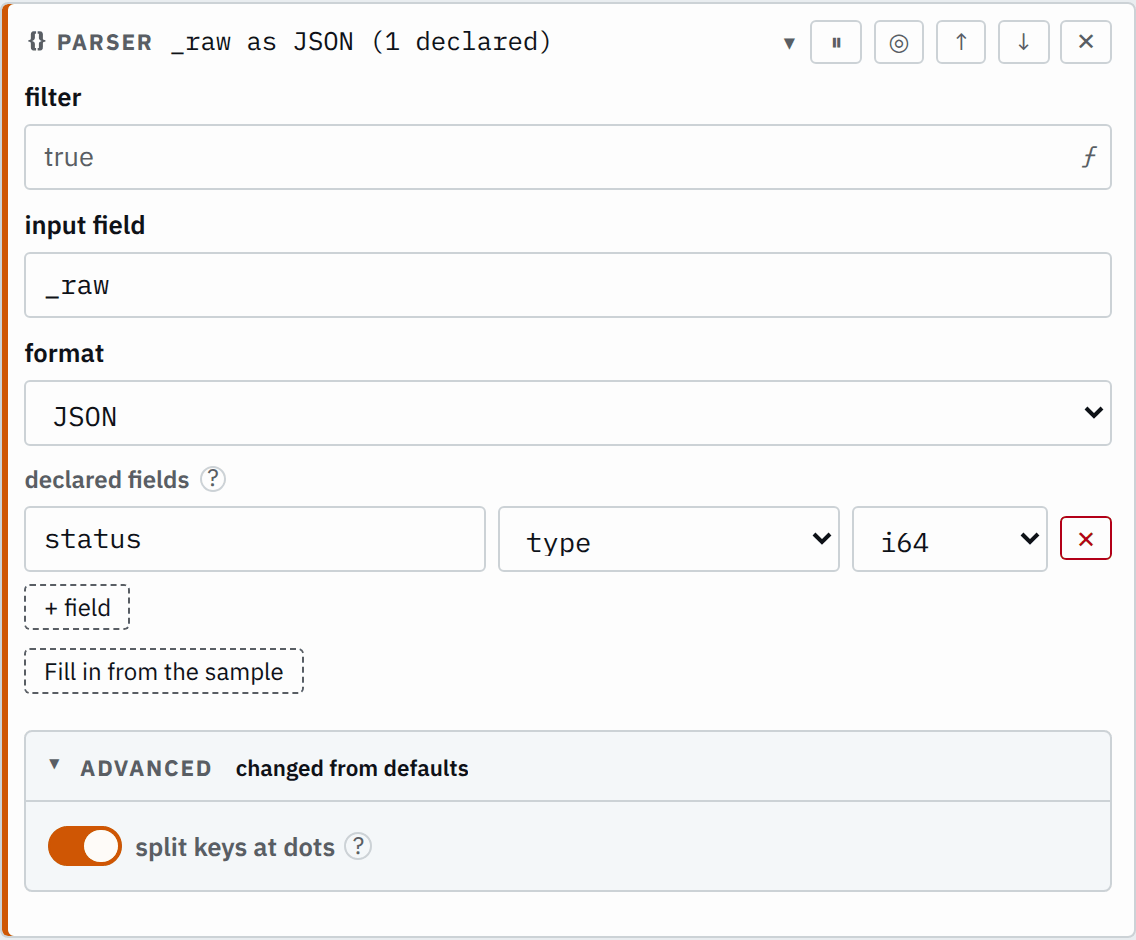
Turned on for JSON, a dotted field name becomes a nested object:
Step

Saved JSON
{
  "id": "parse",
  "type": "parser",
  "input": "_raw",
  "kind": { "type": "json", "splitDots": true },
  "declared": [{ "name": "status", "type": "i64" }]
}
Input
{"geo.city":"Oslo","status":200}Output
{
  "geo": {
    "city": "Oslo"
  },
  "status": 200
}
Turned off for Key/value, a dotted key stays one field name:
Step

Saved JSON
{
  "id": "parse",
  "type": "parser",
  "input": "_raw",
  "kind": {
    "type": "keyValue",
    "pairSep": " ",
    "kvSep": "=",
    "splitDots": false
  },
  "declared": []
}
Input
src.ip=10.0.0.1 action=allowOutput
{
  "src.ip": "10.0.0.1",
  "action": "allow"
}
Unparsable records
Text the format cannot read marks the record with an Unparsable exception. Its exception answer decides what happens to it:
- tag (default): the record continues with its exceptions in
smeltr.exception. The fields parsed before the exception stay. Route delivery conditions decide where it goes. - block: the source stops and processing waits for a new deployment. Correct the cause, then review and deploy the change.
- drop: Smeltr counts the record and discards it.
- deliver: the record goes to the destinations you pick, with its exceptions in the tag field.
- ignore: the record goes on unmarked, and Smeltr still counts the exception.
A value the parser cannot read as its declared type marks the record with an UnparsableField exception, and its field becomes null. Status → Issues warns when production
stops matching a declared field.
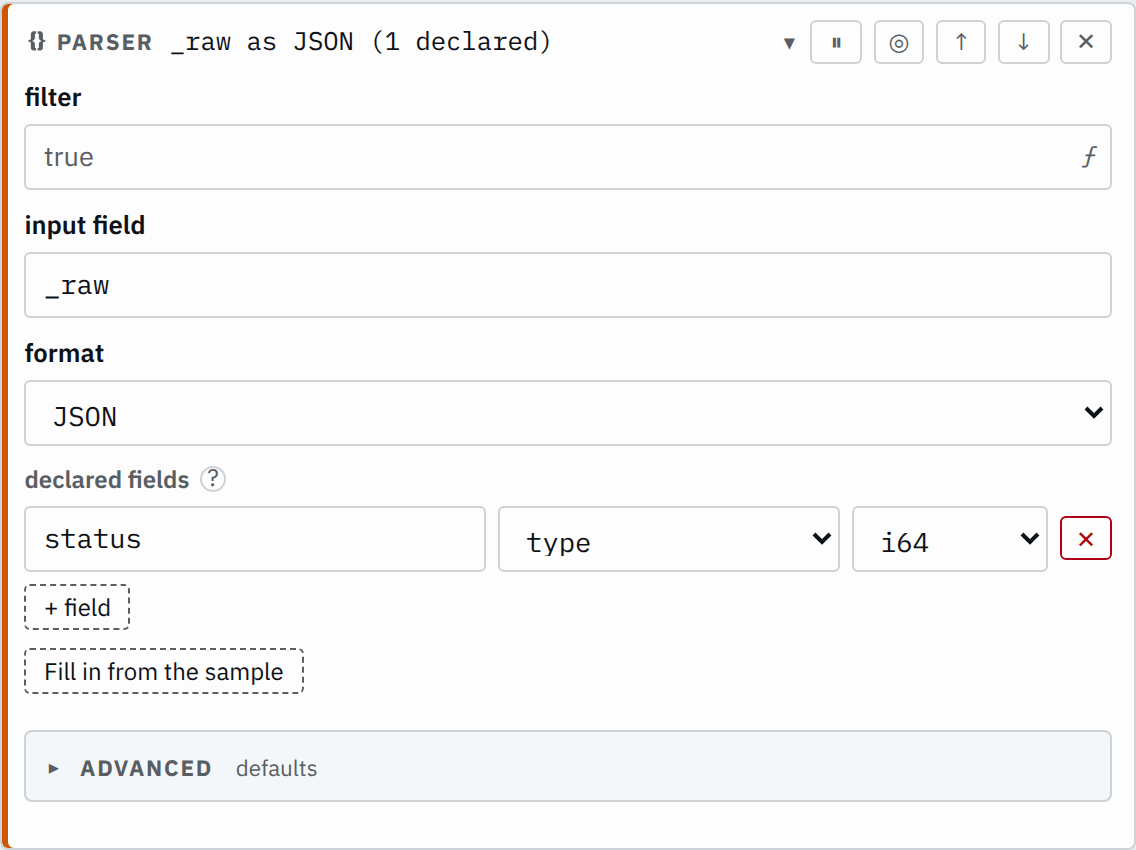
In these examples the second record is cut off after "status":. Tagged, it goes on
with the field read before the exception:
Step

The group's exception answers: every exception tag.
Saved JSON
{
  "id": "parse",
  "type": "parser",
  "input": "_raw",
  "kind": { "type": "json" },
  "declared": [{ "name": "status", "type": "i64" }]
}
Input
{"service":"checkout","status":200}{"service":"checkout","status":Output
{
  "service": "checkout",
  "status": 200
}
{
"service": "checkout",
"smeltr": {
"exception": {
"pipeline": "example",
"exceptions": [
{
"step": "parse",
"kind": "Unparsable",
"message": "_raw is \"{\\\"service\\\":\\\"checkout\\\",\\\"status\\\":\", which json could not parse"
}
]
}
}
}Dropped, only the record that parsed goes on:
Step

The group's exception answers: every exception drop.
Saved JSON
{
  "id": "parse",
  "type": "parser",
  "input": "_raw",
  "kind": { "type": "json" },
  "declared": [{ "name": "status", "type": "i64" }]
}
Input
{"service":"checkout","status":200}{"service":"checkout","status":Output
{
  "service": "checkout",
  "status": 200
}